If you’ve been following the Linux world, you’ve probably heard about Deepin, a Chinese operating system that has often been compared to Windows and macOS for its beautiful design and usability. Now, Deepin 25 (DIP 25) has officially arrived, and it’s making waves across the globe. Some call it the “Windows of China” because of its familiar design, while others praise it as one of the most polished Linux distributions available.
But what makes Deepin 25 special? Is it really stable, fast, and ready to replace Windows on your PC? And can you use it for gaming or professional work? Let’s dive deep into everything you need to know.
1. 🌟 What Is Deepin 25?
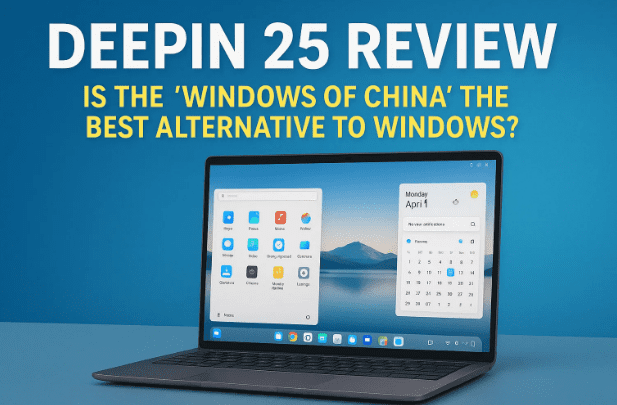
Deepin is a Linux-based operating system developed in China, built on Debian with its own desktop environment called DDE (Deepin Desktop Environment). Version 25 is not just a minor update—it has been rebuilt from scratch, with a fresh design, optimized performance, and new AI-powered tools.
The developers claim that Deepin 25 is:
- 100% faster than its predecessor.
- 50% more fluid, offering smoother animations.
- Stable enough for daily use without fear of bugs or crashes.
This is not just marketing talk—users have reported that the system feels lightweight, clean, and polished even on mid-range hardware.
2. 🖥 First Impressions: Interface and Design
When you boot Deepin 25 for the first time, the similarities to Windows 11 are hard to miss. You’ll see:
- A Start-like menu for apps.
- A taskbar/dock that feels familiar to Windows users.
- A control center similar to macOS for quick toggles like Wi-Fi, Bluetooth, and brightness.
What stands out, however, is the attention to detail. Fonts, icons, transitions, and layouts are visually refined. Even something as simple as deleting files feels polished, with the trash can (“Dumpster”) working just like Windows.
For users switching from Windows, the learning curve is almost zero. You’ll feel at home immediately, unlike some Linux distributions that require terminal knowledge.
3. 🔎 New Features in Deepin 25
Let’s break down some of the exciting new additions:
a) Instant Search
Deepin 25 adds a floating search bar (magnifying glass icon) that lets you quickly search files, apps, or settings without digging through menus.
b) Built-in Artificial Intelligence
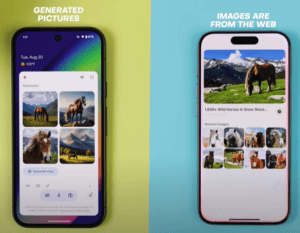
Deepin 25 now comes with an AI assistant called Wess I Bar. Once enabled, it can help with queries, tasks, and system interactions. While still basic compared to Microsoft Copilot or Google Gemini, it’s a clear step towards AI-powered desktops.









c) Preloaded Apps
Out of the box, you get:
- LibreOffice Suite – a full replacement for Microsoft Office.
- Music and video players.
- Native Deepin Browser (so you don’t need to install one right away).
- App Store for downloading and updating apps.
4. ⚡ Performance and System Resource Usage
One of Deepin 25’s biggest strengths is its efficiency. Even with animations and AI features, it uses just 1.8–1.9 GB of RAM during normal use. For context, Windows 11 often consumes 4–6 GB at idle.
CPU usage is also light—hovering around 5–10% when idle. This makes Deepin an excellent choice for:
- Older laptops struggling with Windows.
- Mid-range PCs that need a snappy OS.
- Users who want long battery life on laptops.
5. 🎮 Can You Game on Deepin 25?
This is a common question, and the answer is yes—with some limitations.
- Deepin supports Steam and allows gaming with Proton, the compatibility layer that runs Windows games on Linux.
- Alternatives like Heroic Games Launcher let you play Epic Games titles.
- Performance is decent on mid-tier hardware, though NVIDIA users may face occasional driver hiccups (a Linux-wide issue).
If your PC doesn’t support Windows 11 (due to TPM or Secure Boot), Deepin 25 could be a second chance to enjoy modern gaming without major compromises.
6. ⚙️ Customization and Settings
Deepin 25 shines in how customizable it is. Without needing advanced Linux commands, you can:
- Switch between light and dark themes.
- Change taskbar size, position, and auto-hide behavior.
- Apply system-wide themes with one click.
- Add or remove startup apps easily.
- Manage Wi-Fi, VPN, sound, and notifications from the control center.
For users who want multi-user support, Deepin also allows creating separate accounts with unique passwords and permissions.
7. 🛠 Software and App Store
Deepin comes with its own App Store, pre-translated into multiple languages (though some advanced settings still show in Chinese or English). From here, you can:
- Install popular apps.
- Update existing apps.
- Explore categories like development, multimedia, education, and games.
It may not have as many apps as Windows or macOS, but thanks to Linux repositories, most popular open-source tools are just one search away.
8. 📊 Comparison: Deepin vs Windows vs macOS
Let’s take a quick comparison:
| Feature | Deepin 25 | Windows 11 | macOS Ventura |
|---|---|---|---|
| Performance | Lightweight, fast | Heavier, 4–6 GB idle | Moderate, optimized |
| Design | Windows-like, sleek | Modern, but heavy UI | Polished, minimalistic |
| AI Integration | Basic (Wess I Bar) | Copilot (advanced) | Siri (limited) |
| Office Suite | LibreOffice free | Microsoft Office (paid) | iWork (free, limited) |
| Gaming | Steam + Proton | Native, DirectX support | Limited |
| Ease for Beginners | Very easy | Familiar to most users | Medium |
9. 🚧 Limitations and Issues
Deepin 25 is impressive, but it’s not flawless. Some caveats include:
- Settings translation – While the interface is available in English, some deeper configuration menus remain untranslated.
- Gaming performance – Heavy AAA games may not run as smoothly as on Windows.
- Driver support – NVIDIA GPU users might face extra setup.
- Community support – Smaller than Ubuntu or Fedora communities, so troubleshooting can take longer.
10. ✅ Who Should Try Deepin 25?
You should consider Deepin 25 if:
- You want a Windows alternative that feels familiar.
- You own a PC that can’t run Windows 11.
- You value speed, beauty, and simplicity.
- You want an easy Linux distro without heavy reliance on terminal commands.
If you’re a hardcore gamer or rely on niche Windows-only apps, you may want to dual-boot with Windows.
📝 FAQs
Q1. Is Deepin 25 safe to use?
Yes, Deepin is open-source and regularly updated. However, because it’s developed in China, some users raise privacy concerns. Always review permissions and updates carefully.
Q2. Can I install Deepin alongside Windows?
Yes. You can create a dual-boot setup so you can choose between Windows and Deepin at startup.
Q3. Does Deepin support Android apps?
Not natively, but you can install Android emulators.
Q4. Is LibreOffice really good enough to replace Microsoft Office?
For most users, yes. It handles Word, Excel, and PowerPoint files, though some advanced formatting may not be perfect.
⚖️ Final Verdict
Deepin 25 is more than just “Windows from China.” It’s a polished, user-friendly Linux distribution that bridges the gap between casual users and the open-source world. With its sleek interface, efficient performance, and built-in AI assistant, it shows that Linux can be as modern and accessible as Windows or macOS.
It may not be flawless, especially for gamers and power users, but for everyday computing, it’s one of the most impressive Windows alternatives available today.
Tags: deepin 25, linux alternative to windows, deepin review, chinese operating system, deepin desktop environment, deepin vs windows
Hashtags: #Deepin25 #LinuxDesktop #WindowsAlternative #OpenSource #TechReview
Would you like me to also prepare a roundup-style 2-paragraph summary for this one (like we did with the IT sector, Comet, FFmpeg, Wayland, etc.) so it’s ready for Saturday’s collection?








