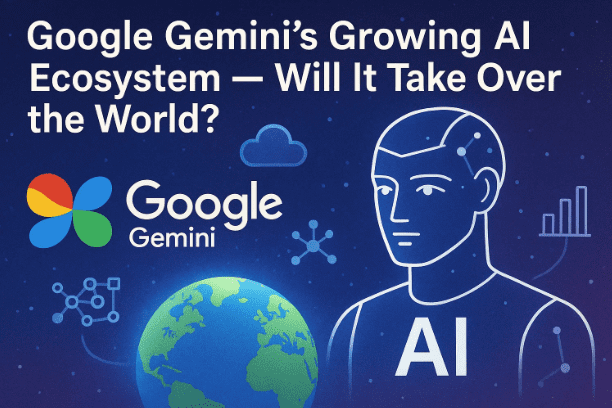
Artificial Intelligence has already reshaped how we search, write, and even create visuals — but what if the next big shift doesn’t come from a startup, but from the company that built the internet as we know it?
Yes, we’re talking about Google — and its rapidly expanding AI ecosystem, Gemini.
Over the past few months, Gemini has evolved from a chatbot into a powerful multi-platform intelligence running across Android, YouTube, Gmail, Google Photos, Chrome, and even Pixel devices. With new features like Gemini Nano, Gemini 1.5 Flash, BO3 video generator, and AI Search Mode, Google seems to be building something bigger than just an assistant — a new layer of intelligence woven across everything we use daily.
But how exactly does it work? And could Gemini actually “take over the world” of AI — overtaking ChatGPT, Copilot, and others?
Let’s dive deep into Google’s new AI empire.
What Is Google Gemini?
Let’s start from the foundation.
Gemini is Google’s family of AI models designed to handle everything from writing and reasoning to generating visuals, editing photos, and even understanding real-world environments.
Unlike traditional AI tools that focus on one domain (like ChatGPT for text or Midjourney for art), Gemini is multimodal — meaning it can process text, images, audio, and even video together.
Google offers Gemini in different versions:
- Gemini Advanced (Pro 1.5): The full-scale cloud version available at https://gemini.google.com
- Gemini Flash: A faster model optimized for real-time tasks like summaries and search
- Gemini Nano: A lightweight AI that runs directly on your Android phone — no internet required
So far, so good. But the story doesn’t stop there — Gemini isn’t just a product. It’s an ecosystem.
Why Gemini Is More Than a Chatbot
When Google first launched Gemini, people compared it to ChatGPT. But Google’s vision was much larger.
Instead of confining Gemini inside a browser, Google embedded it across every major service — Search, Gmail, Drive, YouTube, Maps, Android, and even smart devices.
Think of Gemini not as an app but as an AI backbone that’s quietly powering almost everything in Google’s digital world.
This approach gives Google a massive advantage — it already has billions of active users across these services.
So when Gemini improves, the experience of billions of people improves automatically.
Now, let’s explore how this ecosystem works in real-world use.










Gemini Nano — The Power of AI Inside Your Phone
Let’s move to the first and most revolutionary feature: Gemini Nano.
Nano is a miniaturized version of Gemini that runs directly on your Android device — no cloud processing required.
It’s already available in Google Pixel 8, Pixel 9, and Samsung Galaxy AI phones.
🌟 What Gemini Nano Can Do
- Edit photos with your voice: Just say, “Remove background,” or “Make my shirt red,” and Nano modifies the image locally.
- Live translation: Talk in Hindi, hear yourself in English — in real time, without internet.
- On-device summarization: Summarize large texts or notifications instantly.
- Privacy-focused: Since it runs locally, your data never leaves your phone.
💡 Example:
Imagine you’re traveling and take a blurry photo. Gemini Nano can automatically enhance it, fix framing, and even suggest a better angle — all offline.
This kind of embedded intelligence marks the beginning of AI-powered hardware — and Google is pushing it fast.
Gemini Flash and BO3 — Turning Imagination Into Reality
If Nano represents compact intelligence, Gemini Flash and BO3 show off its creative side.
🎨 Gemini Flash
Gemini Flash is an AI image generation and modification tool — somewhat like an advanced Photoshop assistant.
Unlike typical image generators, Flash can take your existing photo and transform it intelligently based on your prompts.
For instance:
- “Change the lighting to sunset.”
- “Add a background of the Himalayas.”
- “Turn this selfie into a professional portrait.”
This is where the viral trend of “Nano Banana” edits started — users uploading their photos and letting Gemini give them a brand-new look.
🎬 BO3 (AI Video Generator)
Google’s BO3 model allows users to generate 8-second hyper-realistic videos using AI.
It can:
- Animate still photos
- Add realistic motion and sound
- Create lifelike short clips in seconds
Google has promised that the video length limit will soon expand, unlocking short-form video creation with nothing but text prompts.
In short, Flash + BO3 makes Gemini a complete multimedia studio.
AI Search Mode — Reinventing How You Google
Now let’s talk about one of the biggest changes in Google’s history: AI Mode in Search.
When you open Google Search today, you might notice a button at the top left that says “AI Overview” or “Gemini Mode.”
Here’s what happens:
- You type a query — say, “Best budget laptops for students 2025.”
- Instead of showing you ten blue links, Gemini reads dozens of websites automatically.
- It visits 40–50 pages, summarizes key points, and gives you a direct, conversational summary.
No more endless clicking and comparing — the AI does it all.
🔗 Backlinks and Transparency
Google ensures that all AI summaries include source links.
So if you want to verify or explore more, you can tap the cited websites directly — maintaining fairness for creators.
This hybrid system combines Gemini’s reasoning power with Google’s web ecosystem, making search faster, smarter, and surprisingly human.
Gemini in Gmail, Docs, and Workspace
Gemini is already embedded in Google Workspace tools — Gmail, Docs, Sheets, and Slides.
Let’s look at what it can do there:
- ✉️ Help Me Write: Draft emails in seconds. You can write, “Apologize for the late report,” and it will create a professional response.
- 🧠 Summarize long emails: No need to scroll — Gemini gives you the gist instantly.
- 🌐 Translate and rephrase: Turn a Hindi email into English or make your tone more formal.
- 📊 Docs and Sheets Integration: Generate tables, automate calculations, and create charts from text.
In essence, Workspace + Gemini is becoming the AI office suite of the future, rivaling Microsoft Copilot and OpenAI’s ChatGPT Team plan.
YouTube’s AI Revolution — From Voice Translation to Video Creation
So far, we’ve explored productivity. Now, let’s shift to creativity — and YouTube is where Gemini is pushing the limits.
🎧 Real-Time Voice Translation
In some YouTube videos, you may have seen a new option to change the audio language.
That’s Gemini working behind the scenes — not just translating subtitles, but recreating the creator’s own voice in another language, preserving tone, accent, and lip-sync accuracy.
Imagine watching a Japanese creator speak fluent Hindi — with their original voice and lip movements perfectly matched.
🧠 AI Chapter Summaries and Background Removal
Gemini can automatically generate:
- Chapters for long videos
- Summaries below the video
- AI-assisted video editing (background replacement, lighting correction, etc.)
In the near future, YouTube creators will be able to generate complete AI videos with realistic backgrounds and narration directly from Gemini Studio.
We’re entering an age where anyone can become a global creator — without expensive editing skills.
Gemini Live and Pixel AI — The On-Device Future
Google’s long-term vision for AI is personal, local, and private.
This is where Gemini Live and Pixel AI come in.
📱 Gemini Live Assistant
Gemini Live works like a next-gen assistant.
You simply point your camera at something — a monument, product, or even a document — and talk to Gemini naturally:
“What’s in front of me?”
“Can you summarize this paper?”
“How do I fix this cable?”
Gemini will respond instantly, combining vision + reasoning + voice.
⚡ Pixel AI: AI Without Internet
On Pixel devices, Gemini doesn’t rely only on cloud servers.
Many functions — photo editing, call translation, note summarization — now run entirely on-device, even without an internet connection.
That means:
- Live call translation between languages happens instantly.
- Image edits occur offline.
- AI suggestions don’t require cloud data.
Google is pushing hard to make AI a native feature of smartphones, not a separate app.
Google vs ChatGPT and Copilot — Who Leads the AI Race?
Let’s pause for a moment — because every innovation needs context.
While OpenAI’s ChatGPT and Microsoft’s Copilot focus on desktop integration, Google has quietly built an end-to-end AI ecosystem tied to Android, Chrome, and the web.
| Feature | Google Gemini | OpenAI ChatGPT | Microsoft Copilot |
|---|---|---|---|
| Platform Integration | Deeply embedded in Android, Search, YouTube | Web + iOS/Android app | Windows + Office |
| On-Device AI | Yes (Gemini Nano) | No | Limited |
| Multimedia Creation | Images, videos, audio | Text + Image (DALL·E) | Text + Graphs |
| Workspace Integration | Gmail, Docs, Sheets | Via plug-ins | Word, Excel, PowerPoint |
| Accessibility | Built-in for billions | Subscription-only | Office-linked |
| Offline Use | Yes (Pixel/Android) | No | Partial |
Google’s reach is its secret weapon. Every Android phone is a potential Gemini device.
That means billions of users — and an enormous head start.
🔄 How Gemini Is Quietly Taking Over Android
We’re used to downloading apps — but Gemini flips the model. Instead of you finding AI, AI finds you.
Already:
- Gemini is replacing Google Assistant on Android.
- It’s accessible through the Google App and voice command “Hey Google.”
- It integrates into the keyboard, camera, and notification panel.
From searching to translating, drafting to summarizing — Gemini is becoming a constant presence in Android life.
And soon, with Gemini Nano and Flash integration, you’ll be able to:
- Generate images directly in Gallery.
- Summarize messages in Notification Center.
- Talk to Gemini Live from your home screen.
If Google keeps up this pace, AI will become as fundamental as Wi-Fi.
⚖️ The Ethical and Practical Side of AI Expansion
So far, everything sounds exciting — but with great power comes great responsibility.
AI integration on such a massive scale raises serious concerns:
- Data privacy: Even though Gemini Nano works offline, cloud models still rely on user data.
- Misinformation: AI-generated videos and voices could blur the line between real and fake.
- Creativity vs automation: Will artists and editors lose work?
Google claims to follow strong ethical guidelines — watermarking AI-generated images, citing sources in AI summaries, and limiting model access to harmful content.
Still, public trust will determine how far this expansion goes.
❓ Frequently Asked Questions (FAQs)
Q1. Is Gemini free to use?
Yes. The base Gemini model is free for everyone via gemini.google.com.
However, Gemini Advanced (Pro 1.5) requires a subscription.
Q2. What is Gemini Nano?
Gemini Nano is the on-device version of Gemini that runs offline on supported Android phones like Pixel 8 and Galaxy S24.
Q3. Can Gemini generate videos?
Yes. Through BO3, Gemini can create 8-second AI-generated videos and will soon expand to longer formats.
Q4. How is Gemini different from ChatGPT?
Gemini is fully integrated into Google’s ecosystem — Search, Gmail, Android — while ChatGPT functions mainly as a standalone app or API.
Q5. Will Gemini replace Google Assistant?
Yes, Gemini is already replacing the Assistant in new Android builds, acting as a smarter, context-aware version.
⚠️ 13️⃣ Disclaimer
This article is for educational and informational purposes only.
All AI features mentioned are part of Google’s official Gemini ecosystem and may vary by device or region.
The discussion of competitors like ChatGPT and Copilot is purely comparative.
For official product updates, always visit Google Gemini’s website.
🏷️ Tags & Hashtags
Tags: Google Gemini, Gemini Nano, AI Search, Google Pixel AI, Android AI, YouTube AI, BO3, Gemini Flash, Gemini Live, ChatGPT vs Gemini, AI future
Hashtags: #GoogleGemini #ArtificialIntelligence #AIRevolution #GeminiNano #AIFuture #AndroidAI #GeminiFlash #YouTubeAI #ChatGPTvsGemini #TechTrends2025