Microsoft has rolled out the Windows 11 24H2 optional “C release” update (KB5065789), and it’s a big one. This update isn’t just about bug fixes — it introduces 17 brand-new features, improvements to File Explorer, accessibility updates, gaming enhancements, and even the ability to move hardware indicators like brightness and volume on screen.
If you’re already on 24H2, installing this update will bump your build to 26100.6725. And because 25H2 will arrive as an enablement package on top of 24H2, both versions will now share the same set of features moving forward. That means everything you see here is also what you can expect in 25H2.
Let’s break down all the key changes.
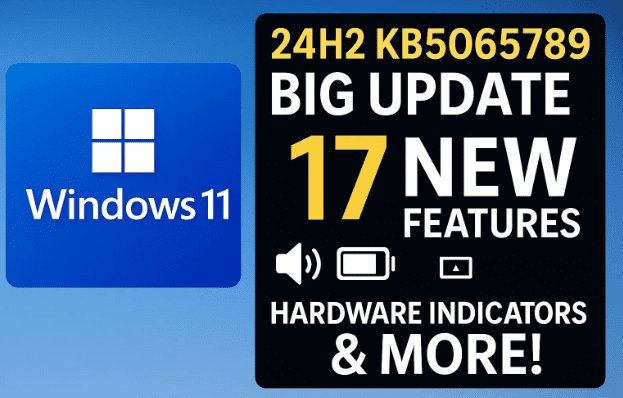
1. What You Need to Know About KB5065789
This update is optional, meaning you don’t need to install it immediately. If you skip it now, it will arrive automatically in next month’s Patch Tuesday updates.
- 24H2 build after update: 26100.6725
- 25H2 build after update: 26200
- Features rolling out gradually: Some users will see them right away, others in the coming weeks.
2. Copilot+ PC Specific Features
First up, let’s look at the changes aimed at Copilot+ PCs (AI-powered hardware):
- Click-to-Do improvements
- New “popular action” tags in the context menu.
- Concise summaries for text entities, focusing on clarity and precision.
- AI Agents in Settings
- Direct navigation links to settings pages from AI search results.
- Currently limited to Copilot+ PCs.
3. New Features for All PCs
Now let’s move on to the updates regular Windows 11 users will notice.
- Movable Hardware Indicators
- Brightness, volume, and airplane mode overlays can now be positioned.
- Options: Top left (default), Top center, Bottom center.
- Change it via: Settings > System > Notifications > Indicators from keyboard actions.
- Taskbar Policy Improvements (Enterprise)
- IT admins no longer need to restart explorer.exe to apply pinning policy changes.
4. File Explorer Improvements
File Explorer gets both cosmetic and functional updates:
- AI Actions (Copilot+ PCs only): Right-click a file to edit images or summarize documents. (Unavailable in the EEA for now.)
- Cleaner Context Menus: The accent-colored background behind packaged apps (like Paint or Snipping Tool) has been removed for a simpler look.
- Performance Tweaks: Faster launching of cloud files and quicker context menu loading.
- Fixes:
- Icons and text overlapping on desktops with high text scaling.
- Better mirroring of icons/text in Arabic and Hebrew display languages.
5. Windows Share and Advanced Settings
- Windows Share: You can now pin favorite apps in the share window for quick access.
- Advanced Settings: A redesigned “For Developers” page under Settings > System > Advanced makes it easier to find developer tools and options.
6. Input & Accessibility Enhancements
- Keyboard Shortcuts for Dashes:
- Win + Minus → N dash (–)
- Win + Shift + Minus → M dash (—)
- Fix: Touch input not working on the sign-in screen after waking from sleep.
- Narrator Updates:
- Braille viewer support for on-screen text and Braille displays.
- Better voice feedback and navigation in Microsoft Word (footnotes, lists, tables, etc.).
7. Settings Improvements
- Bing Search History Change: Option to clear search history in Settings is gone — now handled via the Microsoft Privacy Dashboard online.
- Date & Time Overhaul: More settings moved from Control Panel to Settings, including additional clocks, time server, and AM/PM formatting.
- Performance Boost: Faster loading of installed apps list.
- Fixes:
- BitLocker links no longer appear in unsupported cases (error 0x80405 fixed).
8. Gaming Enhancements
- Xbox Controller Support:
- Short press Xbox button → Game Bar.
- Long press Xbox button → Task View.
- Hold button → Power off controller.
- Game Bar Optimization: Performance improved when overlays are active.
9. Voice Access Updates
- Natural Language Commands: You can now use filler words and synonyms when giving commands to Voice Access (Copilot+ PCs only).
- Fix: Voice Access getting stuck in “listening” mode has been resolved.
10. Key Fixes & Under-the-Hood Improvements
- Dynamic Lighting: Fixed issue with excessive CPU usage after unlocking.
- HDR: Fixed bug where HDR could turn off immediately after being enabled.
- Protected Media Playback: Resolved an issue affecting Blu-ray/DVD and digital TV apps after previous updates.
- Quick Settings: Fixed bug where pressing Enter didn’t confirm PIN when casting.
- Safe Mode Login: Fixed issue where PIN availability failed in safe mode.
- Networking (Enterprise): Fixed SMB v1 NetBIOS issue preventing shared folder access after KB5065426.
11. Should You Install KB5065789 Now?
This is an optional update, so here’s the balanced advice:
- Install now if you’ve been facing any of the specific issues fixed in this release (e.g., HDR bugs, protected content playback, input errors).
- Wait until Patch Tuesday if your system is running smoothly — the same update will arrive automatically with security patches.
12. FAQs
Q1: Is this update safe to install?
Yes, but it’s optional. It’s generally stable, but as always, backup important files before updating.
Q2: Will I get the same features in 25H2?
Yes. 25H2 is just an enablement package built on 24H2, so both versions will share features.
Q3: Do these features roll out instantly?
Not always. Many new features are being rolled out gradually, so some users may get them later.


Q4: Which feature is the highlight?
For most users, the ability to move hardware indicators and the File Explorer performance tweaks will be the most noticeable.
Final Thoughts
The KB5065789 update is one of the most feature-packed optional updates Windows 11 has seen in recent months. With 17 new features, fixes across input, gaming, accessibility, and file management, it sets the stage for the 25H2 release.
Whether you install it now or wait until next month’s automatic rollout, it’s clear Microsoft is smoothing out rough edges while also adding meaningful customization options — especially the much-requested ability to move on-screen hardware indicators.
Tags
windows 11 update, windows 11 kb5065789, windows 11 24h2, windows 11 25h2, windows update features, windows 11 bug fixes, microsoft update news
Hashtags
#Windows11 #KB5065789 #WindowsUpdate #Microsoft #Windows11Features #PCUpdates