🌅 Introduction: When macOS Meets FreeBSD Freedom
For years, tech enthusiasts have dreamed of a world where you could enjoy the polished beauty of macOS without being tied to Apple’s hardware ecosystem. Imagine running Final Cut Pro, Logic, or Safari on any PC — no MacBook, no Mac Studio, just pure freedom.
That’s exactly what a daring project called ravynOS set out to achieve. According to its developers, ravynOS combines “the finesse of macOS with the freedom of FreeBSD.”
It’s open-source, community-driven, and aims to be binary-compatible with macOS apps — meaning someday, macOS programs might just run natively on it.
But is this vision realistic, or another over-ambitious dream that’s too technically and legally complex to reach? Let’s explore ravynOS, its architecture, how to install it, and the fascinating challenges it’s taking on.
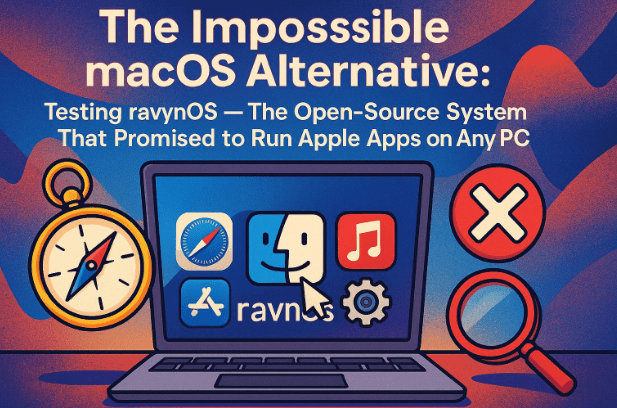
🖥️ 1. What Is ravynOS?
ravynOS is an experimental, open-source operating system that blends Apple’s macOS user experience with the technical foundation of FreeBSD, a Unix-like OS known for its security and stability.
On the official website — https://ravynos.com — the developers describe it as:
“An open-source operating system based on FreeBSD, CMU Mach, and Apple open-source code that aims to be compatible with macOS applications and has no hardware restrictions.”
In simpler terms, ravynOS wants to give users:
- macOS-style design, behavior, and user interface
- The power and licensing freedom of FreeBSD
- A platform where macOS applications can potentially run natively in the future
This makes ravynOS not just a Linux or BSD distribution — it’s an entirely new direction: a macOS-inspired compatibility layer built from scratch.
⚖️ 2. How It Differs from macOS and Linux
Before diving deeper, it helps to understand where ravynOS stands among existing systems.
| Feature | macOS | Linux (Ubuntu, Fedora) | ravynOS |
|---|---|---|---|
| Base System | Darwin (Apple’s modified BSD kernel) | Linux kernel | FreeBSD kernel |
| License | Proprietary | Open-source (GPL) | Open-source (BSD License) |
| Hardware Support | Apple-only | Broad (x86, ARM) | Intended for all x86 PCs |
| UI Framework | Cocoa / Quartz | GNOME, KDE, etc. | Custom macOS-style desktop |
| App Compatibility | Native macOS | Linux software | Aims for macOS app compatibility |
| Legal Use | Apple hardware only | Any | Any PC (open license) |
While Linux gives you freedom, it lacks the elegance and ecosystem polish of macOS.
ravynOS tries to deliver both — the “feel” of macOS without its walls.
🔧 3. Technical Foundation: The FreeBSD Core and Apple Code
Under the hood, ravynOS uses a combination of:







- FreeBSD 14-CURRENT — a bleeding-edge BSD base providing the kernel, file systems, and system libraries.
- CMU Mach microkernel elements — part of the same foundation macOS uses for task scheduling and inter-process communication.
- Apple Open Source components — macOS includes several open frameworks like WebKit, Launchd, and portions of the Darwin source tree that ravynOS can legally reuse.
By using this trio, ravynOS can theoretically build a legal macOS-compatible layer — not by copying Apple’s code illegally, but by reimplementing open components and writing new ones to fill the gaps.
It’s a technical mountain to climb, but conceptually sound.
💽 4. System Requirements and Development Preview
The developers describe the current build as a “developer preview”, not ready for daily use.
Minimum recommended specs:
- CPU: Any x86-64 processor
- RAM: Minimum 2 GB (8 GB recommended)
- Disk space: 20 GB or more
- GPU: Intel or AMD integrated graphics
- NVIDIA: Not yet supported
This version is mostly meant for testing and development, not for production systems.
If you’re curious to try it, you’ll need real hardware — virtual machines are currently not supported because of driver issues.
📥 5. How to Download and Try ravynOS
Getting ravynOS is simple:
- Visit the official website: https://ravynos.com
- Click “Download ravynOS”
- Choose the latest ISO image (usually around 700–900 MB)
- Save it to your computer
Each release includes minor updates and patches — if you see one “updated 14 hours ago,” it means the team is still actively pushing fixes.
🧾 6. Installation Steps (Bootable USB Setup)
Let’s walk through how you can set it up safely on a spare machine.
Step 1: Create a Bootable USB Drive
Use Rufus (https://rufus.ie/) or Balena Etcher (https://etcher.balena.io/) to burn the downloaded ISO file to a USB drive.
- Format the USB as FAT32
- Select the ravynOS ISO
- Click Start and wait for it to finish
Step 2: Disable Secure Boot
Go to your system’s BIOS/UEFI, find Secure Boot, and disable it.
Like many alternative OS builds, ravynOS can’t boot with Secure Boot enabled.
Step 3: Boot and Install
Insert the USB into your target PC, restart, and press F12 (or the key for your boot menu).
Select the USB device, and ravynOS should begin booting.
The first boot will reveal a macOS-inspired login screen and desktop — simple, minimal, and clearly modeled after Apple’s design.
🪟 7. First Boot: The macOS-Inspired Interface
The ravynOS desktop looks strikingly familiar — a clean dock at the bottom, icons that echo macOS aesthetics, and simple top-bar navigation.
You’ll notice:
- A Dock for launching apps and managing windows
- System info panels similar to “About This Mac”
- A Terminal (yes, it works!)
- A responsive file browser
However, several system settings are placeholders or still in development. Right-click menus, for instance, may not function yet.
In short, ravynOS feels like macOS, but behaves like a prototype — half-finished, half-promising.
🚀 8. Software Compatibility and Performance
ravynOS claims to eventually support macOS binary compatibility, meaning macOS applications could one day run natively.
But as of the developer preview, this isn’t functional yet.
Currently, you can:
- Run FreeBSD and POSIX-compatible command-line tools
- Explore basic UI functions
- Contribute to development through GitHub
You cannot yet install .app macOS packages or run Final Cut Pro.
The architecture is still being built — the Application Binary Interface (ABI) and framework mapping layer (analogous to Apple’s Cocoa and Core Foundation) are works in progress.
Performance-wise, the OS boots fast and feels lightweight, thanks to FreeBSD’s efficiency.
🧩 9. Why Running macOS Apps Is Still a Challenge
Why can’t ravynOS run Mac apps yet?
Because macOS applications depend on a dense network of private frameworks — CoreFoundation, Metal, Quartz, AppKit, and more — that Apple hasn’t open-sourced.
To achieve full compatibility, ravynOS must re-implement every one of those APIs, a task similar to what Wine did for Windows apps on Linux.
It took the Wine project over 20 years to reach stable compatibility — ravynOS is only a few years old.
So while the goal is admirable, users should view it as a long-term experiment, not a replacement for macOS today.
⚖️ 10. Legal and Ethical Considerations
One big question always arises: Is this legal?
Yes — ravynOS is legal as long as it only uses Apple’s open-source code and original implementations.
The team explicitly avoids using or redistributing proprietary macOS files.
However, using actual macOS binaries or frameworks within ravynOS could breach Apple’s EULA.
That’s why ravynOS focuses on re-creating features rather than copying them.
So while Hackintosh skirted legality by patching Apple’s macOS, ravynOS remains safely open-source — free, transparent, and educational.
🔮 11. The Road Ahead: Can ravynOS Succeed Where Hackintosh Failed?
The developers have already abandoned earlier KDE-based builds and are writing a new UI from scratch using a custom “WindowServer,” mirroring Apple’s architecture.
They aim to deliver a system that’s not just macOS-like visually, but functionally.
The future roadmap includes:
- A complete graphical stack rebuild
- Improved FreeBSD driver support
- A compatibility layer for
.appexecution - Developer tools for cross-platform builds
While it may take years to reach stable usability, ravynOS represents something rare — a legal, community-driven attempt to free macOS from Apple hardware.
Even if it never achieves full compatibility, its technological contributions could inspire future BSD and Linux systems.
💬 12. Frequently Asked Questions (FAQ)
Q1: Can I install ravynOS on my main computer?
Not recommended yet. It’s still a developer preview. Use a spare PC for testing.
Q2: Can I run macOS apps like Final Cut Pro or Logic Pro?
No, not at this stage. Compatibility layers are under construction.
Q3: Is ravynOS based on Linux?
No. It’s based on FreeBSD, which shares ancestry with macOS’s Darwin.
Q4: Is this legal to use?
Yes, because ravynOS only uses Apple’s open source code. It doesn’t include proprietary macOS files.
Q5: Does it support NVIDIA graphics?
Not yet. Intel and AMD GPUs work better; NVIDIA support remains limited.
Q6: What’s the default desktop environment?
A custom in-house interface resembling macOS, replacing older KDE/X11 builds.
Q7: Where can I contribute or follow development?
Visit ravynos.com or its GitHub repositories linked there. Contributors are welcome.
🏁 13. Conclusion: A Brave Attempt to Re-Imagine macOS Freedom
ravynOS is one of the boldest open-source projects in recent memory — trying to replicate the best of macOS without Apple’s walls.
It’s rough, unfinished, and far from running native Mac apps — but its mission resonates with every tech enthusiast who has ever wished for freedom without compromise.
By combining the security of FreeBSD with the design philosophy of macOS, ravynOS reminds us that innovation doesn’t always start in Silicon Valley — sometimes it starts with open code, shared ideas, and a daring community.
If Apple’s ecosystem feels increasingly locked down, ravynOS might just be the whisper of rebellion the open-source world needs.
#ravynOS #FreeBSD #macOS #OpenSource #Hackintosh #AppleEcosystem #OperatingSystem #LinuxAlternative #BSD #TechInnovation
Disclaimer:
This article is for educational and informational purposes only. ravynOS is an independent open-source project not affiliated with Apple Inc. It is a developer-preview system and may not function reliably on all hardware. Installing or attempting to run macOS binaries on non-Apple hardware may violate Apple’s End User License Agreement. Always download ravynOS from its official website — https://ravynos.com.







