In 2025, browsers are no longer just “windows to the web.” They’ve become digital companions — some friendly, others invasive. The latest to join this growing list is Comet Browser, an AI-powered browser by Perplexity AI that claims to browse the internet for you.
But is it really revolutionary — or just another overhyped AI experiment that trades privacy for convenience?
Tech commentator Mudahar (SomeOrdinaryGamers) decided to find out. His hands-on testing reveals a story that’s both fascinating and cautionary.
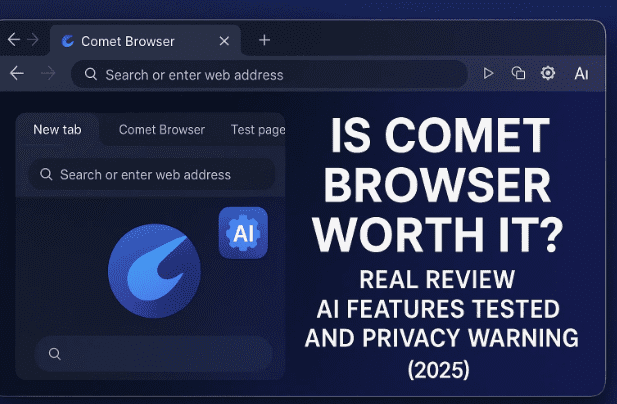
🌌 1. What Is Comet Browser?
Comet Browser is built by Perplexity AI — the same company behind the popular Perplexity chat app.
It’s described as the world’s first “agentic browser,” meaning it doesn’t just open pages; it can act on them:
- Find and summarize websites.
- Fill forms or make reservations.
- Group tabs into routines (e.g., “Morning work set”).
In short, Comet aims to combine Chrome’s browsing speed with ChatGPT-style automation — essentially turning your browser into a mini assistant.
But that’s also where problems begin…
🧩 2. How It Differs from Chrome and Brave
Before diving into tests, it helps to understand Comet’s foundations:
| Feature | Comet Browser | Google Chrome | Brave Browser |
|---|---|---|---|
| Base Engine | Chromium (open-source Google core) | Chromium | Chromium |
| AI Integration | Built-in Perplexity assistant | Gemini sidebar (optional) | Leo AI assistant (optional) |
| Privacy Default | Tracks interaction data by default | Syncs with Google account | Blocks ads & trackers by default |
| Platforms | Windows & macOS | All major platforms | All major platforms + Linux |
| Offline Mode | None (yet) | Partial offline capabilities | Full offline browsing |
| Fingerprint Protection | Limited | Weak | Randomized fingerprint |
| Cost | Free (with optional Perplexity plans up to $200/mo) | Free | Free |
As you can see, Comet isn’t built entirely from scratch — it’s a Chromium derivative, much like Edge or Brave, but wrapped with AI automation.
💻 3. Installing and Setting It Up
Mudahar’s experiment started inside a Linux virtual machine, since Comet doesn’t yet support Linux natively.
Using WinBoat (a lightweight Windows-compatibility layer), he installed the browser and began setup.
During the first run, Comet asked him to:
- Choose a planet theme (he picked Neptune).
- Make it the default browser.
- Send telemetry to “improve the product.”
“It already feels like another data-collecting product,” he jokes, clicking Yes anyway.










The setup finished smoothly — but what followed wasn’t exactly a smooth ride.
🧠 4. First Impressions and Interface
Once launched, Comet greeted him with a sleek, minimalist UI — a mix of Chrome’s simplicity and Perplexity’s chat sidebar.
The assistant panel promised to “browse for you,” offering tasks like:
- Open LinkedIn, Gmail, and Calendar as a morning routine.
- Check deadlines in your inbox.
- Make restaurant reservations.
- Summarize a YouTube video.
However, Mudahar immediately noticed how heavily it relied on connecting to online accounts (Google login, email access, etc.), which raised privacy alarms.
⚙️ 5. Testing Comet’s AI Features
Time for real-world tasks. Mudahar tested Comet’s automation on several scenarios.
🥘 Task 1 — Make a Dinner Reservation
He asked Comet to find Michelin-star restaurants in Toronto and book a table.
➡️ Result: It searched for places but failed to complete the reservation, looping on errors.
📹 Task 2 — Find the Moon-Landing Quote
Prompt: “Open YouTube and jump to the moment Neil Armstrong says ‘one small step for man.’”
➡️ Result: The AI stalled for minutes. He manually searched on YouTube and found it in seconds.
🎮 Task 3 — Play a Flash Game on Newgrounds
Prompt: “Find and open Pico’s School.”
➡️ Result: Success — Comet located the page and loaded the game.
He joked that if it could solve CAPTCHAs, he’d “unironically support it forever.”
🛒 Task 4 — Buy a PlayStation 5 on Best Buy
Prompt: “Find a PS5 and add it to cart.”
➡️ Result: It added the wrong version and couldn’t distinguish disc vs digital.
📉 6. Success Rate and Real-World Performance
Out of five tasks tested, only two worked correctly.
“Roughly a 30–40 percent success rate,” he concluded.
The AI is slow, requires frequent corrections, and often breaks mid-process when web layouts change — a fatal flaw for automation that must interact with dynamic sites.
🔒 7. Privacy Policy and Data Concerns
Here’s where the review takes a serious turn.
Perplexity’s privacy policy admits that Comet collects:
- URLs and page content you visit.
- Permissions granted to websites.
- Number of open tabs and windows.
- Search queries, downloads, cookies.
- Interaction data and usage patterns.
While users can disable some tracking, Mudahar argues that requires trust — and trust is hard to give when the CEO openly states that the browser helps collect data for “hyper-personalized ads.”
“Why would I trust a browser that tells me it’s watching everything I do unless I beg it to stop?”
He points out that Comet is “free” because the user is the product.
⚖️ 8. Comet vs Chrome vs Brave (Feature Comparison)
| Category | Comet Browser | Google Chrome | Brave Browser |
|---|---|---|---|
| Base Engine | Chromium | Chromium | Chromium |
| Built-in AI | Yes (Perplexity) | Gemini | Leo |
| Performance | Heavy AI load, slower pages | Fast but memory hungry | Fastest among Chromium-based |
| Privacy | Collects usage data by default | Syncs with Google cloud | Blocks trackers by default |
| Ad Blocking | Basic | None | Advanced Shields system |
| Fingerprint Protection | Weak | Weak | Randomized ID |
| Open-Source | Partially | Partially | Fully open |
| Ideal For | AI experimenters | Google ecosystem users | Privacy-minded power users |
| Verdict | Too early / invasive | Familiar but bloated | Balanced and secure |
🧩 9. Do You Really Need an AI Browser?
AI browsers promise a future where you “talk to the internet.”
But the reality is that most users still prefer control — not a machine that half-understands instructions.
Mudahar sums it up well:
“If you spend more time fixing the AI’s mistakes than the time you save, you’re not saving time at all.”
Moreover, these agentic systems require constant data access, meaning the browser needs to see everything you see. That’s a privacy nightmare if mishandled.
🧨 10. Mudahar’s Final Verdict
After days of testing, he summarized Comet Browser in one line:
“AI browsers ain’t worth the hype.”
He admits it has potential but calls it “a slow, data-hungry experiment pretending to be the future.”
What worked well:
- Clean interface.
- Some automation works (basic tasks like finding games or pages).
What failed:
- Repeated errors on real-world actions like reservations or purchases.
- Inconsistent reasoning and frequent AI timeouts.
- Poor Linux support.
- Privacy intrusions and telemetry.
“You don’t need AI infested deep into your browser. Use a local model or a chatbot in another tab.”
🧭 11. Expert Take — Should You Use It?
Only if you’re experimenting.
If you deal with sensitive information, avoid it until Perplexity clearly improves its data policy and sandboxing.
✅ Good For
- Tech enthusiasts who love testing new AI concepts.
- Non-sensitive tasks like casual search or entertainment.
❌ Not Recommended For
- Financial transactions or business logins.
- Privacy-focused users or journalists.
- Those expecting reliable automation.
If you want an AI touch with security, Brave and LibreWolf still outperform it for real world usage.
❓ 12. FAQs
Q 1: Is Comet Browser safe to use?
→ It depends. Technically safe to install, but it collects data by default and has been criticized for weak privacy controls.
Q 2: Does Comet work offline or without logging in?
→ Yes, you can skip login, but AI features require a Perplexity account and internet connection.
Q 3: Can Comet replace Chrome or Brave?
→ Not yet. It’s slower, less stable, and lacks customization or extension support maturity.
Q 4: Is Comet open source?
→ Partially. The Chromium core is open source, but Perplexity’s AI integration is proprietary.
Q 5: What are better alternatives in 2025?
→ Brave, LibreWolf, or Mullvad Browser for privacy. If you want AI assistance, use ChatGPT or Perplexity web app separately instead of AI browsing automation.
⚠️ Disclaimer
This review is based on independent testing and publicly available statements as of October 2025. AI features and policies may change in future updates. Always review privacy settings and avoid using experimental browsers for financial or sensitive activities.
🏁 Tags & Hashtags
Tags: Comet Browser, Perplexity AI, AI Browser, Privacy, Web Security, Chrome Alternatives, Brave vs Comet, AI Automation
Hashtags: #CometBrowser #PerplexityAI #AIBrowser #BrowserReview #Privacy #CyberSecurity #Tech2025 #BraveBrowser #ChromeAlternatives