YouTube has quietly evolved beyond just a video-sharing platform — it’s now one of the most powerful ecosystems for creators to build audiences, sell products, and earn money without leaving the app.
In 2025, YouTube officially expanded its Shopping feature, allowing monetized creators to integrate online stores directly with their channels. This means you can now tag products in your videos, connect e-commerce stores like Shopify or Speed Shop, and turn every video view into a potential sale.
But the surprising part? Many creators still haven’t activated this feature even after monetization. If you’re one of them, you’re probably leaving money on the table.
This article will guide you step by step on what the YouTube Shopping feature is, how to enable it, and how it can significantly boost your revenue by merging content and commerce.
💡 1. What Is YouTube Shopping Feature?
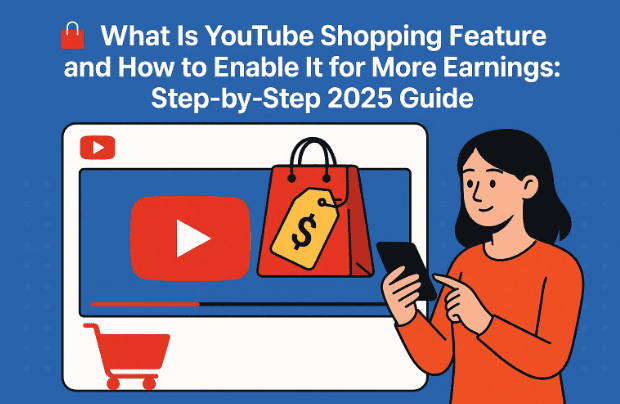
YouTube Shopping is a new monetization feature that lets creators connect their YouTube channels with online stores and sell products directly from videos, Shorts, and channel pages.
For example:
- If you upload a video reviewing gadgets or showcasing your own brand merchandise, you can tag those products right below the video player.
- When viewers click on a product, they can purchase it instantly — and you earn a share from the sale.
It’s similar to affiliate or merchandise marketing but fully integrated inside YouTube itself.
YouTube automatically displays your tagged products on:
- The video watch page
- The Shorts feed
- Your channel store tab
In short, it combines content creation and online selling without needing any external website.
🚀 2. Why YouTube Shopping Is Important for Creators in 2025
Let’s move to the next step — understanding why this feature is a game-changer.
Until now, creators earned money mainly from ads, memberships, and brand deals. But as CPM rates fluctuate and ad competition grows, Shopping offers a direct monetization model under your control.
Benefits of Enabling YouTube Shopping:
- Additional income source: Earn commissions from every tagged product sale.
- Brand expansion: Build your merchandise line or integrate your shop.
- Better viewer engagement: Viewers see what you’re wearing or using and can buy instantly.
- Increased credibility: Having a verified store connected to your channel improves your professional image.
YouTube reports that creators who combine ads with shopping features can increase total earnings by up to 40–60%.


🧭 3. Where to Find the Shopping Feature in YouTube Studio
If your channel is monetized, the Shopping section appears automatically inside the YouTube Studio app (both desktop and mobile).
To locate it:
- Open the YouTube Studio app on your phone.
- Tap the Earn tab at the bottom of the screen.
- Under the Earn dashboard, you’ll see several options — Watch Page Ads, Shorts Feed Ads, Memberships, Supers, and Shopping.
- If Shopping isn’t enabled yet, it will appear greyed out.
Once visible, it means your channel is eligible to connect an online store.
🪜 4. How to Enable YouTube Shopping – Step-by-Step Process
Now that you know where to find it, let’s walk through enabling it properly.
Step-by-Step Guide:
- Open YouTube Studio (mobile or desktop).
- Tap the Earn section.
- Scroll to the bottom and find Shopping.
- Tap Set Up or Enable.
- You’ll see a message saying “Connect your online shop to YouTube.”
- Tap Connect Shop to begin linking your store.
YouTube will now ask you to choose from supported e-commerce partners. These may include:
- Shopify (shopify.com)
- Spreadshop
- Spring (formerly Teespring)
- TeePublic
- Wix Stores
- Fourthwall
- Speed Shop
Most of these options require payment or subscription. However, one option — Speed Shop — is completely free to use and perfect for new creators.
🛒 5. Connecting an Online Store to YouTube
When you tap “Connect Shop,” YouTube redirects you to a partner setup page.
This page asks for:
- Your Google (YouTube) email
- Country of operation
- Preferred currency
- Shop platform selection
Once you select your shop (for example, Speed Shop), you’ll need to accept YouTube’s Terms and Conditions and verify your channel email.
After verification, you’ll see an option to “Continue Setup” on your chosen platform.
💎 6. Best Free Option – Speed Shop Integration Explained
Speed Shop is currently the only free partner supported by YouTube for shopping integration.
It allows you to:
- Create and sell branded merchandise (T-shirts, mugs, hoodies, etc.)
- Automatically display your products on YouTube videos
- Earn money with no upfront cost
Unlike Shopify or Fourthwall, Speed Shop doesn’t charge hosting or listing fees. You only get paid when a customer buys something — making it ideal for small creators.
You can visit Speed Shop’s official site for independent access, but it’s best to connect through your YouTube Studio for automatic verification.
🔐 7. How to Set Up Your Speed Shop Account Safely
So far we’ve done a good job enabling the feature — now let’s move ahead with setting up your account properly.
Step-by-Step Setup:
- Tap “Go to Speed Shop” from YouTube Studio.
- Agree to YouTube’s integration terms.
- Enter your email address (use your YouTube channel email for easy linking).
- Create a new password — never use your YouTube login password.
- Confirm password, verify “I’m not a robot,” and agree to privacy terms.
- Click Get Started Now.
- When prompted, sign in again via Google Account authorization to confirm access.
- Select “Continue” to finalize setup.
⚠️ Important Security Tip:
Use a separate password for Speed Shop. Do not reuse your Google/YouTube credentials. This keeps your channel secure from third-party risks.
🖌️ 8. Creating and Designing Your First Product
Now it’s time to design your first item — the exciting part!
After successful login, you’ll see a welcome screen with three sections:
- Set up your Speed Shop
- Create products
- Activate integration
Follow these steps carefully:
- Upload Your Channel Logo
- Click Upload and select your YouTube channel logo from the gallery.
- Wait for it to upload fully.
- Customize Product Design
- Your logo will automatically appear on different templates like T-shirts, mugs, caps, and more.
- Select any design and adjust placement or color.
- Add Product Details
- Enter a Design Name (for example, “TechVision Channel Tee”).
- Add a short Description, like “Official TechVision logo printed on premium cotton.”
- Add Tags (e.g., techvision, merch, youtubechannel).
- Publish Your Design
- Click Publish to save and sync it with your YouTube store.
- Wait for confirmation (“Well done” message will appear).
Once published, your product automatically appears in the Shopping tab of your channel.
🏷️ 9. How to Tag Products in Your YouTube Videos
This is where your new store starts earning!
When uploading or editing a video:
- Go to YouTube Studio → Content.
- Choose a video and click Edit.
- Scroll down to the Shopping section.
- Tap Tag Product.
- Select one or multiple products from your Speed Shop.
These tagged items will appear below your video on desktop and mobile, showing your viewers what’s available for purchase.
Whenever a viewer clicks and buys — you earn commission or direct profit.
💵 10. Earnings Explained – How Shopping Doubles Your Revenue
When Shopping is active, your YouTube income now comes from multiple layers:
| Source | Description | Type of Earning |
|---|---|---|
| Watch Page Ads | Standard ad revenue | CPM-based |
| Shorts Feed Ads | Monetization for Shorts | RPM-based |
| Channel Memberships | Paid subscribers | Monthly recurring |
| Supers (Super Chat/Thanks) | Viewer donations | Variable |
| Shopping (Speed Shop) | Product sales from tagged videos | Commission or direct sale |
By combining ad-based and product-based revenue, creators can effectively double or triple their overall earnings — especially if they already have a loyal audience.
⚠️ 11. Common Mistakes and Security Warnings
Before you rush to set up your store, keep these key precautions in mind:
- ❌ Don’t reuse your YouTube password for external integrations.
- ✅ Always verify that the shop link comes from YouTube Studio (official integration).
- ⚠️ Avoid connecting unknown third-party marketplaces.
- ✅ Double-check that your channel email matches the Speed Shop email.
- ❌ Don’t upload copyrighted logos or celebrity images to merchandise.
- ✅ Use your own brand identity — it builds trust and long-term recognition.
Following these basic steps keeps your channel safe and your store professionally aligned.
❓ 12. Frequently Asked Questions (FAQs)
Q1. Is YouTube Shopping available for everyone?
No. It’s available only for monetized channels that meet YouTube’s Partner Program requirements.
Q2. Do I need a Shopify or paid store to use it?
No. You can start completely free using Speed Shop, which doesn’t charge upfront fees.
Q3. Can I sell any product through YouTube Shopping?
Yes, but ensure they follow YouTube’s Commerce Product Guidelines — no restricted items, counterfeit products, or adult content.
Q4. How do I track my sales and revenue?
Sales appear directly inside YouTube Studio → Earn → Shopping tab.
Q5. What happens if I remove the integration?
Tagged products disappear from videos, but your Speed Shop remains intact — you can reconnect anytime.
🏁 13. Conclusion
YouTube Shopping is one of the most exciting additions for creators in 2025. It turns your content into a self-sustaining business, where you earn from ads and from product sales simultaneously.
If your channel is monetized but you haven’t enabled this feature yet, you’re missing a major opportunity.
Just follow the simple process — open YouTube Studio, go to Earn → Shopping → Connect Speed Shop — and within minutes, you’ll have your own creator store live on your channel.
Remember:
Every viewer who clicks on your tagged products is a potential customer.
And every new product you design is an extra income source waiting to grow.
Start today, experiment with designs, and take advantage of this e-commerce revolution happening right inside YouTube.
Disclaimer:
This article is for educational purposes only. Speed Shop and YouTube integrations are official partner features under YouTube Shopping. Always read YouTube’s Commerce Terms before uploading any product designs.
Tags: YouTube Shopping, YouTube Monetization, YouTube Studio, Speed Shop, YouTube Partner Program, Creator Earnings, Product Tagging, Online Store Integration
Hashtags: #YouTubeShopping #YouTubeMonetization #CreatorEarnings #YouTubeStudio #SpeedShop #OnlineSelling #YouTubeGuide #dtptips







