Artificial Intelligence is evolving at lightning speed, and while many people are still paying hefty subscription fees for closed platforms like ChatGPT Plus, Claude Pro, or GPT-4 APIs, there’s a new wave of tools that are free, community-driven, and just as powerful—sometimes even more so.
In this article, we’ll dive into a complete setup that allows you to run some of the most advanced AI models directly inside Visual Studio Code (VS Code) without paying a dime.
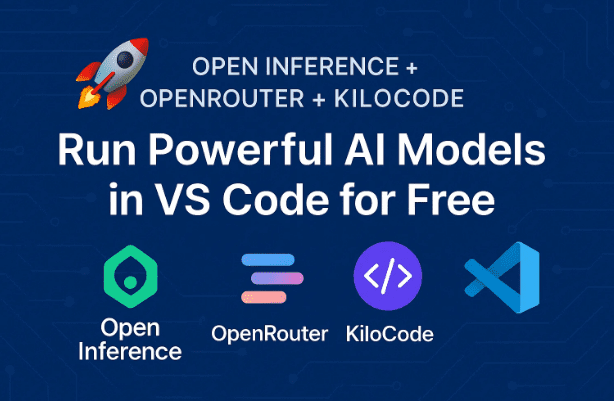
The setup is based on a three-part combo:
- Open Inference – the brain (ecosystem of open models).
- OpenRouter – the bridge (API gateway to dozens of models).
- KiloCode – the hands (VS Code extension that ties it all together).
By the end of this guide, you’ll have free access to AI models like DeepSeek, Quen, and Kimmy running right in your coding editor. You’ll also understand how to troubleshoot issues, maximize performance, and apply this stack in real-world scenarios.
Let’s get started.
1. 🌍 Why Open Inference Matters
Closed AI platforms dominate headlines, but they come at a price—literally. GPT-4, Claude, and others lock users into paid subscriptions. Open Inference flips that model on its head.
Instead of one company controlling everything, Open Inference is an ecosystem of open-source AI models. These models are not experimental toys—they’re production-ready and already used by real businesses.
For example:
- DeepSeek V3 comes with a staggering 120,000 token context window. That’s enough to feed in an entire book, process it, and ask detailed questions—far beyond what most commercial platforms offer in their base tiers.
- Quen models are optimized for reasoning, analysis, and problem solving.
- Kimmy handles multilingual workflows and content generation across languages.
This openness creates flexibility, power, and—best of all—affordability.
2. 🔑 The Three-Part Stack Explained
To make Open Inference practical for everyday use, three tools work together seamlessly:
- Open Inference → Provides the brains (various models).
- OpenRouter → Acts as the bridge (a single API key for dozens of models).
- KiloCode → Functions as the hands (a free VS Code extension).
Here’s why this matters:










- Without OpenRouter, you’d need multiple accounts and API keys to test different models.
- Without KiloCode, you’d be stuck using raw APIs, which can be overwhelming for non-developers.
- Together, the trio provides a plug-and-play experience right inside VS Code.
3. ⚙️ Step-by-Step Setup Guide
Now that we’ve covered why this setup is powerful, let’s move step by step to get everything running.
Step 1: Install KiloCode
- Open your VS Code Marketplace.
- Search for KiloCode.
- Click Install.
It’s free, open source, and installs in seconds.
Step 2: Create an OpenRouter Account
- Visit OpenRouter.ai.
- Sign up with your email or GitHub account.
- Generate an API key from your account dashboard.
⚠️ Important: Keep this key private. Don’t share it publicly or paste it into unsecured places.
Step 3: Connect Your API Key to KiloCode
- Go back to VS Code.
- Open KiloCode settings.
- Choose OpenRouter as your provider.
- Paste your API key into the field.
At this point, KiloCode knows how to communicate with OpenRouter, which in turn connects to Open Inference models.
Step 4: Choose Your Model
- Inside KiloCode, scroll through the list of available models.
- Select from options like:
- DeepSeek V3 for coding tasks.
- Quen for reasoning and analysis.
- Kimmy for multilingual generation.
You can switch models anytime without changing keys or providers.
4. 🧠 Exploring the Models: DeepSeek, Quen, Kimmy
Each model has its strengths, and knowing when to use which one is key.
- DeepSeek V3 → Best for developers. Write, refactor, and debug code efficiently.
- Quen → Focused on structured reasoning, strategic planning, and data analysis.
- Kimmy → Handles multilingual tasks and content localization.
👉 Think of it like a toolkit. Instead of one “generalist” AI, you can pick the specialist for the job.
5. 💻 Hands-On Example: Generating and Refactoring Code
Let’s walk through a real use case.
- Ask DeepSeek to create a Node.js function that calls the OpenRouter API and logs usage statistics.
- Within seconds, it generates clean, documented, error-handled code.
- Next, request a refactor into TypeScript with proper typings. The output includes interfaces, type definitions, and production-ready formatting.
Normally, this would take 15–20 minutes manually. The AI does it instantly.
6. 🌐 Beyond Coding: Reasoning, Analysis, and Translation
This setup isn’t limited to developers.
- Quen models excel at problem solving and strategic analysis—great for students, researchers, and professionals.
- Kimmy makes it possible to generate multilingual content for global clients, saving hours of manual translation.
By switching models instantly, you can adapt the AI to the task at hand.
7. 🛠️ Common Problems and Fixes
Like any AI toolchain, hiccups may occur. Here are the most common ones:
- Authentication Errors → Double-check your API key. Remove extra spaces and ensure OpenRouter is selected in KiloCode.
- Weird Outputs or Hallucinations → Switch models. If DeepSeek gives poor results, try Quen or Kimmy.
- Rate Limits → Free tiers are generous, but still capped. Wait for reset or consider upgrading later.
8. 💡 Real-World Applications and Monetization Ideas
So far we’ve seen how to set things up, but what can you actually do with it?
- Develop client tools – Automate workflows, build scrapers, or create coding assistants.
- Business automation – Use reasoning models for data analysis and decision-making.
- Content creation – Generate multilingual blogs, articles, or reports.
- Learning – Experiment with projects to understand AI model behavior.
The versatility means you can use the same setup for professional projects, side hustles, or personal productivity.
9. 🔓 Open Source vs Closed Platforms: Why This Matters
Why does this matter beyond cost savings? Because it represents a paradigm shift in AI.
- Closed platforms (like OpenAI) → Subscription-based, limited contexts, less flexibility.
- Open Inference → Community-driven, larger contexts, free or low-cost entry.
It mirrors the rise of Linux vs Windows in the past. Community-built systems often grow faster, adapt better, and eventually dominate niches where closed systems lag behind.
10. ❓ Frequently Asked Questions (FAQ)
Q1. Is OpenRouter really free?
Yes, there are free tiers. But usage caps exist. For heavy use, you may consider their paid plans.
Q2. Do I need advanced coding skills to use this?
Not at all. KiloCode simplifies everything. You don’t need to manually call APIs—just interact from VS Code.
Q3. Can I trust these models with sensitive data?
Caution is advised. Always read privacy terms. Avoid sharing sensitive business or personal data without encryption.
Q4. What happens if one model isn’t giving good results?
That’s the beauty—you can switch instantly. Each model has different strengths.
11. ✅ Conclusion: The Future of AI is Open
We’re standing at the beginning of a new era where community-driven AI rivals and even surpasses commercial platforms. With Open Inference, OpenRouter, and KiloCode, anyone—from developers to students to entrepreneurs—can access powerful models for free.
If you’re still paying monthly for closed tools, this is your chance to experiment with an alternative ecosystem that’s faster, more flexible, and built for the community.
👉 Start today by installing KiloCode and signing up for OpenRouter. From there, connect your API key, pick a model, and begin exploring what’s possible.
The next wave of AI innovation won’t come from closed doors. It will come from openness, collaboration, and freedom. And now you’re equipped to be part of it.
⚠️ Disclaimer
While the setup is free and community-driven, always check official terms of service before using models for commercial purposes. Free tiers may have rate limits, and outputs may not always be accurate—so verify results before deploying them in production.
Tags
Open Inference, OpenRouter, KiloCode, AI coding tools, free AI models, DeepSeek AI, Quen model, Kimmy model, VS Code AI extension
Hashtags
#OpenInference #OpenRouter #KiloCode #FreeAI #AIinVSCode #DeepSeek #QuenAI #KimmyAI