Building or upgrading a PC is always exciting, but it can also be confusing when two processors from the same company look equally powerful. That’s exactly the case with Intel’s Core i5-14400 and the Intel Core Ultra 5 245K.
Both are mid-range CPUs designed for gamers, content creators, and productivity users, but they belong to different architectures. On one side, we have the tried and tested Raptor Lake Refresh (14th Gen) i5-14400, and on the other side, Intel’s latest Arrow Lake series processor — the Core Ultra 5 245K, which has been making a lot of buzz since its 2024 release.
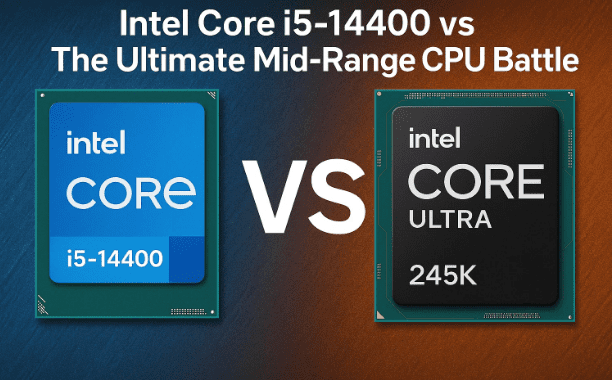
But here’s the big question: which one should you buy? Do you stick with the budget-friendly i5-14400 or spend more for the Core Ultra 5 245K and its newer platform? In this article, we’ll compare both CPUs in detail: specs, performance, gaming benchmarks, power efficiency, platform costs, and value for money. By the end, you’ll have a crystal-clear answer for your next PC build.
📊 1. Specifications Breakdown
Before we dive into benchmarks, let’s look at the raw specifications. This will help us understand what each CPU is capable of on paper.
Intel Core i5-14400
- Cores & Threads: 10 Cores (6 Performance + 4 Efficient), 16 Threads
- Base Clock: 2.5 GHz
- Boost Clock: Up to 4.7 GHz
- Cache: 20 MB L3
- TDP (Base): 65W (up to ~150W under load)
- Architecture: Raptor Lake Refresh (14th Gen)
- Socket: LGA 1700
- Memory Support: DDR4 & DDR5
- Integrated GPU: Intel UHD 730
This processor is clearly a budget-friendly mid-range option. Support for both DDR4 and DDR5 makes it flexible for different types of builds. Its iGPU is only good for basic tasks — gamers will definitely need a dedicated GPU.
Intel Core Ultra 5 245K
- Cores & Threads: 14 Cores (6 Performance + 8 Efficient), 20 Threads
- Base Clock: 4.2 GHz
- Boost Clock: Up to 5.2 GHz
- Cache: 24 MB L3
- TDP (Base): 125W (higher under load)
- Architecture: Arrow Lake (2024 tech)
- Socket: LGA 1851
- Memory Support: DDR5 only
- Integrated GPU: Intel Arc Graphics
The Core Ultra 5 245K is built on the new Arrow Lake platform and pushes performance much further with more cores, threads, and higher clock speeds. However, it’s limited to DDR5 memory, which makes builds more expensive.
Side-by-Side Comparison Table
| Feature | Intel Core i5-14400 | Intel Core Ultra 5 245K |
|---|---|---|
| Cores/Threads | 10C / 16T | 14C / 20T |
| Base Clock | 2.5 GHz | 4.2 GHz |
| Boost Clock | 4.7 GHz | 5.2 GHz |
| Cache (L3) | 20 MB | 24 MB |
| TDP | 65W (up to 150W) | 125W+ |
| Socket | LGA 1700 | LGA 1851 |
| Memory Support | DDR4 & DDR5 | DDR5 only |
| iGPU | Intel UHD 730 | Intel Arc Graphics |
| Platform Cost | Lower (DDR4 option) | Higher (DDR5 + new board) |
So far, it’s clear: the Ultra 5 245K is more powerful, but the i5-14400 is cheaper and flexible.
⚡ 2. Performance Comparison
Specs are great, but real-world performance tells the true story. Let’s check both single-core and multi-core benchmarks.
Single-Core Performance
- i5-14400: ~2300 points (Geekbench 6)
- Ultra 5 245K: ~2800 points (Geekbench 6)
Thanks to its higher base and boost clock speeds, the Core Ultra 5 dominates in single-core performance — about 20-25% faster. This matters for gaming and apps that rely on single-thread strength.
Multi-Core Performance
- i5-14400: ~15,000 points (Cinebench R23 Multi-Core)
- Ultra 5 245K: ~25,000 points (Cinebench R23 Multi-Core)
The difference here is huge. With 14 cores and 20 threads, the Ultra 5 is about 60–70% faster in heavy tasks like video editing, rendering, and streaming.
👉 If you do content creation, 3D modeling, or productivity workloads, the Ultra 5 245K is leagues ahead.












🎮 3. Gaming Benchmarks
Gaming performance depends on both CPU and GPU, but the CPU can bottleneck your graphics card if it’s weak. Let’s see how both fare with a dedicated GPU like RTX 3060 / RX 6700 XT.
- Ultra 5 245K: Higher single-core speeds + more cores = 10–15% higher FPS in AAA games like Cyberpunk 2077 and Assassin’s Creed Valhalla.
- i5-14400: Lower latency memory support (DDR4/DDR5 flexibility) helps it maintain consistent FPS in esports titles like CS:GO and Valorant.
⚠️ Note: The Ultra 5 suffers from higher memory latency (90ns vs 60ns on i5-14400). This means in some games, especially competitive shooters, you may notice occasional frame drops.
👉 Casual gamers or esports players: i5-14400 is more consistent.
👉 AAA gamers with a strong GPU: Ultra 5 245K pulls ahead.
🔋 4. Power Efficiency & Cooling
Here’s where things get practical. Performance is useless if your CPU eats electricity and overheats.
- i5-14400: 65W base, peaks at ~150W under full load. Very power-efficient.
- Ultra 5 245K: 125W base, can exceed 200W in real workloads. Needs better cooling and a stronger PSU.
👉 If you’re budget-conscious or worried about high electricity bills, the i5-14400 wins this round.
💾 5. Integrated Graphics (iGPU)
Neither CPU is ideal for serious gaming without a dedicated GPU, but let’s compare:
- i5-14400: Intel UHD 730 → Bare minimum. Good for office work, videos, or very light games like Minecraft.
- Ultra 5 245K: Intel Arc Graphics → Slightly better than UHD 730, can handle casual 720p gaming and light creative tasks.
👉 For serious gaming, both CPUs require a dedicated GPU.
🛠️ 6. Platform & Value for Money
This is the most important factor many buyers forget: CPU cost isn’t everything. The motherboard and RAM choice adds up too.
Intel Core i5-14400
- Works on LGA 1700 boards (B660, B760, Z690, Z790).
- Supports DDR4 (cheap) or DDR5 (future-proof).
- Total build cost is much lower.
- Price in India: ~₹18,000–20,000 (CPU only).
Intel Core Ultra 5 245K
- Requires LGA 1851 boards (Z890 chipset).
- Supports DDR5 only (expensive).
- Total build cost is 35–40% higher.
- Price in India: ~₹26,000–35,000 (CPU only).
👉 If you’re on a budget, the i5-14400 is unbeatable for value. If you want the latest tech and don’t mind higher costs, the Ultra 5 245K is worth it.
📝 7. Final Verdict
Both processors are excellent — but for different users.
- ✅ Choose Intel Core i5-14400 if:
- You’re on a budget.
- You want DDR4 support to save money.
- You prefer lower power consumption.
- You’re building a mid-range gaming or productivity PC with a dedicated GPU.
- ✅ Choose Intel Core Ultra 5 245K if:
- You want top-tier performance for gaming, editing, and rendering.
- You’re okay with higher power draw and cooling requirements.
- You want a future-proof DDR5 build.
- You’re ready to invest extra money in the platform.
💡 My Recommendation: If you’re a casual gamer or budget PC builder, go with the i5-14400 — it’s still the “value king.” But if you want maximum performance and plan to keep your PC future-proof for 5+ years, the Core Ultra 5 245K is absolutely worth it.
❓ FAQs
Q1: Does the i5-14400 support DDR5?
Yes, it supports both DDR4 and DDR5, giving flexibility to build cheaper or future-proof systems.
Q2: Is the Ultra 5 245K part of Intel’s 15th Gen?
Not exactly. It’s based on Arrow Lake, often referred to as “15th Gen,” but technically it’s a new platform.
Q3: Which CPU is better for esports gaming?
The i5-14400, thanks to lower memory latency and consistent frame times.
Q4: Which CPU is better for AAA gaming?
The Ultra 5 245K, because of stronger single-core performance and more cores for modern game engines.
Q5: Do I need a dedicated GPU with either CPU?
Yes. Both integrated GPUs are weak for modern gaming. A dedicated GPU like RTX 3060 or higher is recommended.
⚠️ Disclaimer
All benchmark values are approximate and may vary depending on system configuration, cooling solutions, and BIOS updates. Always check compatibility (motherboard socket, RAM type, PSU wattage) before buying any component.
Tags
Intel CPU comparison, Intel Core i5 14400, Intel Core Ultra 5 245K, Raptor Lake vs Arrow Lake, Intel 14th Gen vs Arrow Lake, gaming CPU comparison, budget PC build, DDR4 vs DDR5 CPUs, Intel mid range CPUs
Hashtags
#Intel #Corei5 #CoreUltra #GamingPC #PCBuild #CPUComparison #TechTips #BudgetPC #ArrowLake #RaptorLake








