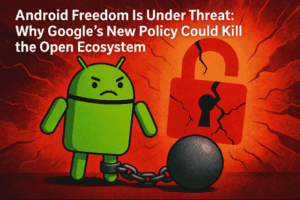
Over the past few months, Google has been preparing some of the biggest policy changes ever introduced to the Android ecosystem—especially around sideloading apps. These changes have caused concern among Android TV and Google TV users, many of whom rely on sideloading to install apps that aren’t available through the Play Store.
Initially, the news looked worrying. Early reports suggested that Google would eventually block sideloaded apps entirely unless the developer verified their identity and registered the app. But new information has now brought a much more balanced picture—one that keeps security in mind while still allowing experienced users to sideload apps freely.
Let’s break down everything step by step so you clearly understand what is changing, when it will happen, and what it means for your device.
🔐 1. What Started the Concern: Google’s Plan to Restrict Sideloading
Before diving into the updated policy, let’s understand the original announcement that caused confusion across tech forums.
The core idea behind the policy
Google plans to introduce a system where developers must verify themselves through a process similar to government-issued ID checks. Once verified, developers will be required to:
- Register their identity
- Provide package names of their apps
- Confirm the legitimacy of their APK files
Only these “verified” apps would be allowed for sideloading on official Android TV and Google TV devices (not generic Android boxes).
Why Google is doing this
Google’s explanation focuses on:
- Security
- Preventing malware
- Reducing anonymous app distribution
But many users believe the move also aims to limit widespread sideloading on official devices.
Why developers pushed back
Many app creators—especially those making niche tools or region-specific apps—don’t want to:
- Provide government ID
- Register personally with Google
- Share their identity publicly
Because of this, the original policy risked shrinking the sideloading ecosystem dramatically.
🌍 2. Where and When These Restrictions Begin Rolling Out
Let’s move to the timeline, as Google’s enforcement isn’t global right away.



Phase 1 — September 2026
The new system first launches in:
- Brazil
- Indonesia
- Singapore
- Thailand
Phase 2 — Global rollout through 2027
After the initial countries, the policy expands gradually across the rest of the world.
At this stage, Google had not confirmed whether users would get any choice to bypass these limits. That uncertainty is what led to concern—especially among people using:
- Google TV
- Android TV
- Nvidia Shield
- Chromecast with Google TV
- ONN streaming box
- Any official partner device
But now we have clarity.
🎉 3. The Big Update: Google WILL Allow Users to Opt Out
This is the most important change in the entire policy update.
Google confirms: users can override the new restriction
After significant community feedback, Google has now announced an “advanced installation flow” that allows users to:
✔ Acknowledge risks
✔ Bypass the sideloading restrictions
✔ Install unverified apps
✔ Continue sideloading just like before
This is a huge win for user freedom and device ownership.
How this opt-out will work
Google hasn’t shared exact screens yet, but here is what they confirmed:
- There will be clear warnings
- You may need to complete multiple confirmation steps
- You will explicitly accept responsibility
- The process may only need to be activated once per device
This mirrors the existing “Install unknown apps” permission, but with extra layers for safety.
🧭 4. Why Google Made This Change (Realistic Explanation)
Let’s move to the reasoning behind this reversal. The updated policy achieves two goals at once:
Goal 1 — Protect non-technical users
People who never sideload apps are often the ones most vulnerable to:
- Fake download sites
- Misleading APK links
- Random harmful pop-ups
- Malware blended with entertainment apps
The extra checks help prevent accidental installations.
Goal 2 — Respect power users and enthusiasts
People who understand the risks—like those who tweak devices, install custom apps, or explore settings—should retain the freedom to sideload.
This balanced approach ensures Android doesn’t lose one of its core strengths: openness.
📺 5. What This Means for Android TV and Google TV Users
This update is especially important for the streaming community. With the opt-out:
- You can still sideload apps on Google TV boxes
- The Nvidia Shield remains fully open
- ONN and other certified Google TV devices stay flexible
- Chromecast with Google TV keeps sideloading ability
In short, certified devices are still safe to buy—you are not being forced back to generic Android TV boxes.
🛡️ 6. Why This Change Might Actually Improve Security
At first glance, adding restrictions sounds like Google is closing the system. But this new flow could improve safety for non-expert users.
Example scenario
A beginner clicks a random APK link online → device blocks installation → warns them → prevents malware.
Meanwhile, experienced users can bypass the restriction easily.
This layered system works similarly to:
- Browser security warnings
- The “Unknown apps” permission
- Windows SmartScreen prompts
You can override it—but not accidentally.
❓ FAQs
1. Will I still be able to sideload apps on my Google TV/Nvidia Shield?
Yes. Google has confirmed you can bypass restrictions using a new “advanced installation flow.”
2. Does this affect generic Android boxes?
No. Generic uncertified Android boxes will not use Google’s restriction system because they don’t run Google TV or official frameworks.
3. When do the restrictions start?
September 2026 in four countries, followed by a global rollout through 2027.
4. Do developers HAVE to verify themselves to distribute apps?
Only if they want their apps to be sideloaded without warnings on official Google TV/Android TV devices.
5. Will verification kill third-party app development?
Not necessarily. The opt-out means developers do not need to verify for experienced users to install their APKs.
#AndroidTV #GoogleTV #APK #Sideloading #AndroidUpdate #TechNews #DTPtips







