Imagine being stuck on a 10-hour flight, or out in the middle of nowhere on a camping trip, or even facing a sudden power outage that takes down your internet. In moments like that, we often realize just how dependent we’ve become on being “always online.” But what if you could carry a slice of the internet with you, always ready, even with no signal at all?
That’s exactly what Kiwix offers. It’s a free, open-source app that lets you download and browse entire websites offline—yes, the entire thing, not just a few cached pages. Think of it as a pocket library for the digital age, storing Wikipedia, Project Gutenberg, TED Talks, medical references, and more, all compressed neatly into your device.
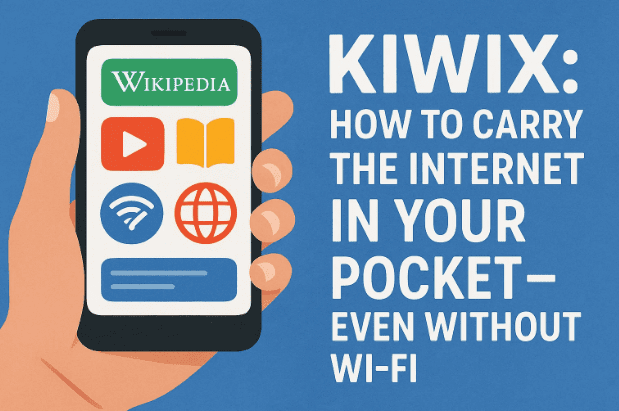
I stumbled upon Kiwix not too long ago, and the more I explored it, the more I realized how valuable it could be—not just for emergencies, but for everyday life. In this article, I’ll walk you through what Kiwix is, how it works, why it matters, and how you can set it up to build your very own offline library.
🌍 What Exactly Is Kiwix?
Kiwix (pronounced Kee-wix) has been around since 2007, though many people still haven’t heard of it. At its core, it’s a tool designed to bring knowledge to people without reliable internet. Originally created to make Wikipedia accessible offline, it has since grown into a much broader platform that supports dozens of content sources.
Here’s what makes it unique:
- You don’t just download a few articles—you download entire websites in one package.
- The content comes in a compressed format called ZIM, which reduces file size dramatically while keeping everything searchable.
- Once installed, Kiwix works like a regular web browser: you can search, click links, and navigate pages as if you were online.
It’s a bit like having your own private internet server running locally on your laptop or phone.
🔒 Why Offline Knowledge Matters
So why should anyone bother downloading websites when we can just “Google it”?
Well, let’s picture a few scenarios:
- Power outage or disaster: Imagine a storm knocks out cell towers and internet access. Kiwix can give you access to survival guides, first aid instructions, and technical manuals offline.
- Traveling to remote areas: Whether hiking in the mountains or visiting places with weak infrastructure, you won’t be cut off from information.
- Long-distance flights: Why watch another forgettable movie when you can browse Wikipedia, read classic books, or study tutorials completely offline?
- Schools and libraries: In many regions, internet connectivity is costly or limited. Teachers use Kiwix to give students access to massive educational resources without needing broadband.
- Privacy-conscious users: Some parents prefer having kids use offline versions of educational sites to avoid distractions and inappropriate content.
In short: offline knowledge is resilience. You’re not at the mercy of subscriptions, cloud outages, or ISP problems. The data is yours, sitting right on your device.
📦 What Can You Download with Kiwix?
This is where Kiwix really shines. You’re not limited to just Wikipedia. There are dozens of content packs you can grab depending on your interests.
Here are some highlights:










- Wikipedia – in multiple languages, with or without images, depending on storage needs.
- Wiktionary & Wikibooks – dictionaries and free educational books.
- Project Gutenberg – over 60,000 public domain books.
- TED Talks – educational talks and videos.
- Medical References – open-access health guides and resources.
- I Fix It – repair guides for electronics, appliances, and vehicles.
- Educational Courses – material from Khan Academy and similar platforms.
Once downloaded, each library becomes fully searchable, with working hyperlinks, images, and offline indexing. It’s like freezing a part of the internet and carrying it around in your pocket.
🛠️ How Kiwix Works (Without Internet)
Let’s break down the process step by step:
- Install Kiwix – The app is available for Windows, macOS, and Linux, as well as Android and iOS.
- Download a ZIM File – Pick the website you want (say, Wikipedia). These files can be huge (up to 90 GB with images) or smaller if you go text-only.
- Load the File into Kiwix – Open it, and it works just like a local website. You can search articles, click around, and explore.
- Optional: Use as a Hotspot – Kiwix can act as a local server. If you set it up on a Raspberry Pi, you can share your offline library over Wi-Fi so multiple people can connect at once.
The beauty is that once downloaded, you don’t need an internet connection at all. Even if the grid goes dark, your library stays lit.
⚙️ Platforms and Options
One of the strengths of Kiwix is how many ways you can use it:
- Desktop App – Best for big libraries like full Wikipedia.
- Mobile App – Perfect for travelers who want a compact knowledge base on the go.
- Browser Extension – Lets you open ZIM files directly in your web browser.
- Kiwix Hotspot – A hardware solution: a preloaded Wi-Fi device that broadcasts your offline library.
- DIY Raspberry Pi Setup – Many enthusiasts create custom hotspots using Raspberry Pi, a screen, and a portable battery pack.
So whether you’re a prepper, a teacher, or a curious tinkerer, there’s a setup that fits your needs.
🔑 Strengths of Kiwix
Before moving on, let’s pause and highlight why Kiwix is worth your attention:
- Free & Open Source – You pay nothing, and the code is transparent.
- Cross-platform – Works on computers, tablets, and phones.
- Efficient Compression – ZIM format makes giant libraries manageable.
- Scalable – From one phone to a classroom hotspot, it adapts.
- Privacy-Friendly – No background tracking or data collection.
⚠️ Limitations to Keep in Mind
No tool is perfect, so it’s good to know the trade-offs:
- Large ZIM files can take hours (or days) to download.
- You’ll need lots of storage for full versions of Wikipedia or Khan Academy.
- Content updates aren’t automatic—you have to download newer ZIM versions periodically.
- Dynamic sites (like constantly updating news or YouTube feeds) don’t work well.
Still, these limits are small compared to the huge benefits of having reliable offline access.
🛡️ Emergency and Survival Uses
This is where Kiwix really becomes a “survival tool.” Imagine being in a disaster zone where communication lines are down. Having offline guides on first aid, clean water, food preservation, or shelter building could literally save lives.
For preppers, Kiwix is like a digital bug-out bag—a library of practical survival skills always on hand. But even for ordinary people, it’s peace of mind knowing you don’t need the cloud to access critical information.
✈️ Everyday Practical Uses
But Kiwix isn’t just about worst-case scenarios. Think about:
- A parent building a safe offline library for homeschooling.
- A student studying in a country with unreliable or censored internet.
- A traveler wanting entertainment and reference materials without using mobile data.
- A professional keeping technical manuals handy during fieldwork.
It’s one of those rare tools that fits equally well in daily life and in emergencies.
💡 Fun DIY Ideas with Kiwix
If you’re into tinkering, Kiwix is fun to experiment with:
- Raspberry Pi Library – Build a pocket-sized offline Wi-Fi library.
- Car/Van Setup – Mount Kiwix in a camper van for road trips.
- School Projects – Use Kiwix to teach students about digital knowledge distribution.
- Travel Pack – Pair it with a power bank to create an offline hub in rural areas.
It’s simple enough that even hobbyists can customize it, and powerful enough that NGOs use it for real-world education.
❓ Frequently Asked Questions
Q1. Is Kiwix free?
Yes. It’s 100% free and open source. You can download both the software and content packages without paying.
Q2. How big are the downloads?
It depends. A text-only Wikipedia might be 5–10 GB, while the full version with images can exceed 80–90 GB. Smaller packages like Project Gutenberg are a few hundred MB.
Q3. Can I update content?
Yes, but you’ll need to re-download the latest ZIM file. There’s no “incremental update” system yet.
Q4. Does it work on iPhone/Android?
Yes. Both iOS and Android apps are available, though storage capacity might limit how much content you can carry.
Q5. Is it legal?
Yes. All content available on Kiwix is distributed under free or open-access licenses.
📝 Final Thoughts
In an age where almost everything is locked behind subscriptions, logins, and internet connections, Kiwix feels refreshingly empowering. It’s a reminder that knowledge should be accessible to everyone—whether or not you’re online.
For me, my must-have downloads would be Wikipedia for general knowledge, I Fix It for repairs, and some medical guides for emergencies. But that’s the beauty of Kiwix—you get to build your own personal offline internet.
If you’ve never tried it, I’d highly recommend checking out the official site here: https://kiwix.org. You might be surprised at how useful it becomes once you start building your offline library.
Disclaimer: This article is for informational purposes only. Kiwix content is compiled from open-license sources; always verify medical or survival information with professional resources before relying on it in critical situations.
Tags: Kiwix,offline Wikipedia,offline internet,free offline knowledge,open source software,emergency survival apps,offline learning
Hashtags: #Kiwix #OfflineInternet #OpenSource #KnowledgeForAll #WikipediaOffline #PreppingTools #DigitalLibrary








