For over a decade, Grand Theft Auto Online has been one of the most played multiplayer games in the world. Whether you’re grinding missions, running heists, or just causing chaos with friends, the experience has been a staple for millions of PlayStation and Xbox players.
But recently, many players—including myself—have hit a frustrating roadblock: we can’t even connect to GTA Online anymore. What’s stranger is that while GTA Online and games like Call of Duty or Sea of Thieves fail to connect, other titles like Day Z continue to work without issue.
So, what exactly is happening here? Let’s unpack it step by step.
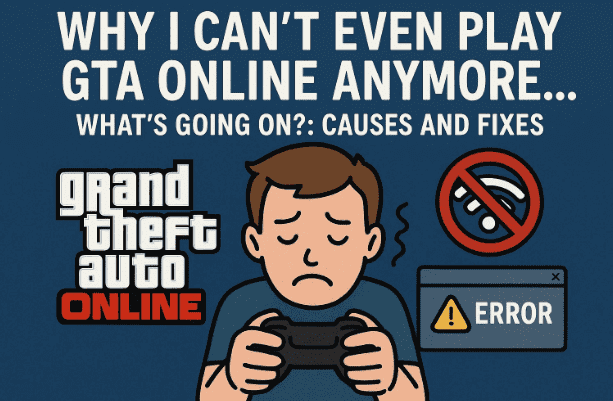
🚫 The Problem: GTA Online Won’t Connect
The issue usually looks like this:
- You launch GTA V and try to access GTA Online.
- Instead of loading, you get an error saying you can’t connect to Rockstar Services.
- The game claims it needs to download files before starting, but the connection fails.
Meanwhile, other online games may partially work—or in some cases, like Day Z, work just fine. This inconsistency makes it even more confusing.
🔍 Why Does This Happen?
Several possible explanations could be behind GTA Online refusing to work:
- NAT Type and Port Issues
- GTA Online requires specific network ports to be open. If your NAT type is strict, Rockstar’s servers may block the connection.
- Other games sometimes use different ports, which is why Day Z might still work.
- PlayStation Network (PSN) Outage
- Sometimes, the issue isn’t Rockstar at all—it’s PSN itself.
- If PSN is down or experiencing regional outages, you may be unable to connect to GTA Online or other major multiplayer titles.
- Rockstar Server Problems
- GTA Online servers have occasional outages.
- Rockstar Support often posts updates when this happens, but not always immediately.
- Account Suspension or Ban (Not Always the Case)
- Many players worry they’ve been banned or suspended.
- Rockstar usually sends an email if this happens. If you didn’t receive one, you’re probably safe.
- However, past glitches, exploits, or suspicious activity can sometimes trigger account reviews.
- Possible DDoS Attacks or Targeted Network Issues
- In rare cases, if you’ve annoyed the wrong person in a public lobby, they might flood your connection (DDoS).
- This won’t ban you but can make online games unplayable until your connection resets.
🛠️ Step-by-Step Troubleshooting
Let’s go through what you can try before panicking:
Step 1: Check PSN and Rockstar Server Status
- Visit PlayStation Network Status and Rockstar Games Server Status.
- If either is down, it’s not your fault—you’ll need to wait.
Step 2: Test Other Games
- Launch Day Z, Fortnite, or any online title.
- If they work, it may be Rockstar-specific.
- If none work, it’s likely your PSN connection.
Step 3: Restart and Reset
- Restart your console and router.
- If possible, connect your PlayStation via wired Ethernet instead of Wi-Fi.
Step 4: Check NAT Type and Ports
- On PlayStation, go to Settings > Network > View Connection Status.
- If your NAT type is Strict (Type 3), GTA Online may fail to connect.
- Open the following ports in your router (for PS5/PS4):
- TCP: 465, 983, 3074, 5223, 10070-10080
- UDP: 3478, 3479, 3658, 10070
Step 5: Rule Out Account Issues
- Check your email for Rockstar or PlayStation suspension notices.
- If you’ve been suspended before, ensure it hasn’t reactivated.
- If no emails are present, your account is most likely fine.
Step 6: Consider a VPN or Alternate Network
- If you suspect DDoS or regional blocks, testing a different network (like mobile hotspot or VPN) can reveal if it’s localized.
🤔 Why Day Z Still Works
It may sound odd, but here’s why you can play Day Z even when GTA Online won’t load:
- Day Z uses a different set of servers and authentication processes than Rockstar’s network.
- It may not be as sensitive to NAT types.
- If PSN is partially down, some games with lighter server requirements might still run.
📣 Is It Just You?
If you’re experiencing this, you’re not alone. Many players report:
- Being able to play Day Z or smaller titles.
- Failing to connect to GTA Online and Call of Duty.
- No official bans or suspensions.
- Multiple consoles in the same household experiencing the same error.
This strongly points to regional outages or server-side issues, not personal bans.
❓ Frequently Asked Questions (FAQ)
Q1: Did I get banned from GTA Online?
Not likely if you didn’t receive an email. Bans and suspensions almost always come with notifications.


Q2: Why only GTA Online and not Day Z?
Different games use different servers and ports. Rockstar’s services may be stricter or more affected by outages.
Q3: Could I be DDoS’d?
Yes, but it’s rare. If only GTA fails while everything else works, it’s more likely a Rockstar or PSN issue.
Q4: Should I contact Rockstar Support?
If the problem persists after a full day and other players aren’t reporting outages, contact Rockstar Support.
⚠️ Disclaimer
This article is for informational purposes only. Online connection issues may vary based on your location, ISP, or console settings. Always check official PlayStation and Rockstar support pages for the most accurate updates.
💭 Final Thoughts
It’s frustrating not being able to connect to GTA Online—especially if you had live streams or game nights planned. The strangest part is being able to jump into Day Z or other titles while Rockstar’s servers keep you locked out.
Most of the time, this problem isn’t a ban—it’s either a server issue, PSN outage, or NAT/port problem. Until Rockstar resolves it, all we can do is troubleshoot on our end, double-check settings, and wait for the networks to stabilize.
Tags: gta online not working, gta online connection issues, gta servers down, playstation gta error, gta online not connecting ps5, gta network issues, gta day z works but not gta
Hashtags: #GTAOnline #PlayStation5 #GamingIssues #RockstarGames #GTA5 #NetworkError #Multiplayer








