Artificial Intelligence has disrupted almost every creative field in the past year. From advertising to storyboarding to UGC-style videos, AI models have unlocked possibilities that once required expensive production teams and weeks of effort.
Global brands like Coca-Cola, Astrok, and streaming platforms such as Kuku FM have already adopted AI-generated ads. The reason is simple—AI can now generate stunning visuals, maintain consistency across multiple scenes, and even help brands tell stories at scale.
One of the most exciting developments in 2025 has been the launch of Google’s Nano Banana—an advanced AI image generation model designed for maintaining character consistency. When combined with Veo 3 (Google DeepMind’s video generation model), creators can craft full-fledged product ads, storyboards, and cinematic short videos with realistic AI avatars.
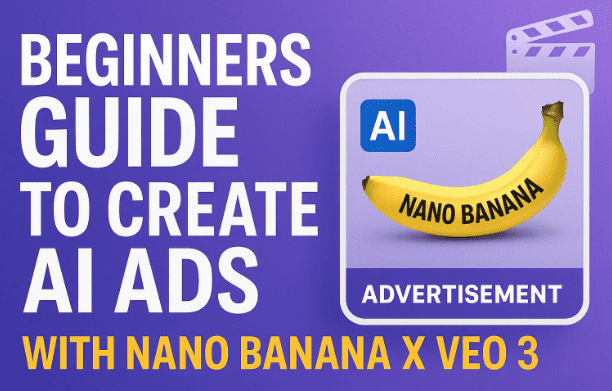
In this article, we’ll dive deep into:
- What makes Nano Banana different from MidJourney, ChatGPT image tools, and other AI generators.
- How to maintain character consistency across multiple images.
- How to convert those images into short AI-generated video ads using Veo 3.
- Step-by-step workflows with prompts, troubleshooting tips, and professional advice.
By the end, you’ll know exactly how to create a professional-grade AI product advertisement using just your creativity, a few images, and the power of Nano Banana + Veo 3.
1) The Evolution of AI in Creative Fields
In just one year, AI has gone from generating blurry stock images to creating Hollywood-level visuals. The biggest disruption has been in advertising and marketing.
Brands no longer need to rely only on large-scale production teams. Instead, AI can:
- Generate unique product mockups.
- Create consistent avatars across campaigns.
- Craft visual storytelling ads within hours.
- Produce UGC-style B-rolls without hiring actors.
This doesn’t mean AI replaces human creativity—it augments it. The power now lies in how you use AI tools.
2) What is Google’s Nano Banana and Why It’s Different
There are already several AI image generators like MidJourney, Stable Diffusion, Perplexity’s Chat tools, and ChatGPT’s inbuilt image models. They excel at producing one-off stunning images.
But here’s the challenge:
👉 What if you want the same character across multiple scenes, angles, and actions?


This is where Nano Banana shines. Unlike many models that slightly alter the character’s face or body in each generation, Nano Banana is designed for avatar consistency.
That means you can:
- Create the same person/character in multiple settings.
- Keep facial structure, body proportions, and style intact.
- Experiment with angles, emotions, and environments without losing identity.
For marketers, this is revolutionary. Instead of random AI “models,” you now have a reusable AI avatar that can represent your brand across different ad campaigns.
3) Two Main Workflows for Character-Based AI Ads
If your goal is to create a product ad featuring a consistent AI character, there are two main workflows:
- Hybrid Workflow (ChatGPT + MidJourney + Nano Banana):
- Upload your reference image to ChatGPT.
- Ask ChatGPT to create a structured prompt describing the character.
- Use MidJourney (or another image model) to generate an avatar.
- Then feed that avatar into Nano Banana for scene generation.
- Direct Workflow (Nano Banana only):
- Use a clear, high-quality photo of yourself or your chosen character.
- Upload directly into Nano Banana.
- Apply story-driven prompts for each scene.
For beginners, the direct workflow is faster and avoids unnecessary complexity.
4) Building a Storyline with ChatGPT
Every good ad needs a storyline. Without it, your AI images and videos won’t feel connected.
For example, let’s say we want to make a Coca-Cola ad set in a desert:
- Start with a traveler wandering in scorching heat.
- She struggles without water.
- Suddenly, a glowing Coca-Cola fridge appears.
- She drinks, revives, and smiles as the tagline “Open Happiness” appears.
Using ChatGPT, you can easily generate this storyboard by asking for scene-by-scene descriptions. These descriptions then become prompts for Nano Banana and Veo 3.
5) Step-by-Step: Generating Consistent Images with Nano Banana
Once you have your storyboard, it’s time to create scene frames.
- Upload Base Image: Start by uploading your character’s reference photo.
- Set a Cinematic Prompt: For example: “A wide cinematic shot of a scorching desert, golden sand glowing under the blazing sun, heatwaves rising.”
- Add Character Action: Adjust the prompt per scene. Example:
- “Character protecting herself from the sun.”
- “Character spotting a glowing fridge in the distance.”
- “Character smiling as she drinks from a bottle of Coca-Cola.”
Nano Banana will generate high-quality images while keeping character consistency intact.
6) Trial, Error, and Improving Prompts for Better Consistency
AI image generation is rarely perfect in the first attempt. You may notice:
- Slight facial changes.
- Inconsistent hand positions.
- Wrong emotions.
To fix this:
- Use trial and error with multiple prompt tweaks.
- Keep a base description constant (e.g., “scorching desert” stays the same across scenes).
- Change only the character action in each prompt.
Pro Tip: If Nano Banana starts restricting you after too many generations, reopen it in Incognito Mode for a fresh session.
7) How Many Images Should You Generate for a Storyboard?
This depends on scene changes.
- If your character only changes emotions or gestures, generate one image per change.
- If the environment changes drastically (e.g., desert → fridge → drinking), generate multiple images.
For a 30-second ad, around 12–15 images is ideal. Each image later becomes a video frame input for Veo 3.
8) Turning Static Frames into Motion with Veo 3
Now comes the exciting part: animation with Veo 3.
- Upload the generated images into Veo 3.
- Use your ChatGPT-generated prompts to guide motions and camera angles.
- Example: “Slow zoom-in as the character shields her eyes from the sun.”
- Example: “Fridge door opening with a cinematic glow.”
- Veo 3 creates short video clips (up to 3 generations per day on basic plans).
- Stitch the clips into a cohesive sequence.
⚠️ Note: Character consistency in Veo 3 is not perfect yet—it maintains around 70% accuracy. The better your Nano Banana images, the smoother your Veo 3 outputs will be.
9) Adding AI Voiceovers with ElevenLabs
A great video needs narration. For this, tools like ElevenLabs are excellent.
Steps:
- Write a short ad script (again, ChatGPT can help).
- Upload the script into ElevenLabs.
- Choose a realistic AI voice that fits your brand.
- Generate and download the voiceover.
For our Coca-Cola example, the narration might be:
“When the world feels dry and endless, sometimes happiness finds you in the middle of nowhere. Coca-Cola – Open Happiness.”
10) Editing the Final AI Ad (Adobe, Premiere, or Alternatives)
Now that you have:
- 15 video clips (from Veo 3).
- A professional voiceover (from ElevenLabs).
- Background music (royalty-free or generated).
You can combine them in Adobe Premiere Pro, DaVinci Resolve, or CapCut.
Steps:
- Place your clips in sequence.
- Sync the voiceover with visuals.
- Add music and sound effects.
- Insert logo and tagline at the end.
Congratulations—you now have a complete AI-generated product ad.
11) Business and Creative Use Cases of Nano Banana + Veo 3
The applications extend far beyond Coca-Cola-style ads:
- E-commerce: Generate B-roll ads for fashion, tech gadgets, or skincare without hiring models.
- Storytelling: Build animated storyboards for campaigns, films, or social media.
- UGC Videos: Produce influencer-style content for marketing.
- Education: Create explainer videos with AI avatars.
- Entertainment: Generate short skits, parody ads, or fan edits.
If you’re in business, marketing, or creative storytelling, these tools open endless doors.
12) Frequently Asked Questions (FAQ)
Q1. Is Nano Banana free to use?
Currently, Nano Banana may offer limited free credits, but heavy users often need a subscription.
Q2. Can Veo 3 be used without a subscription?
You get 3 generations/day free. More requires a paid plan. A student email may unlock additional free credits.
Q3. How do I keep character consistency?
Always start with a defined base prompt and keep the description stable across images. Only change the action or emotion.
Q4. What if Veo 3 changes my character mid-video?
This happens. The fix: Provide more input images and clearer prompts.
Q5. Can I use these ads commercially?
Yes, but always check the terms of service of each tool (Nano Banana, Veo 3, ElevenLabs). Some free tiers may restrict commercial use.
13) Disclaimer and Responsible Use
- The methods described here are for educational purposes.
- Always check official licensing terms before using AI-generated content commercially.
- Some AI models (like Veo 3) are still experimental. Expect minor inconsistencies.
- Do not misuse AI tools for creating misleading, harmful, or infringing content.
✅ Tags & Hashtags
Tags: AI ads, Nano Banana, Veo 3, AI video generation, AI avatars, AI marketing tools, ElevenLabs voiceover, product video ads, creative AI tools
Hashtags: #AIVideo #NanoBanana #Veo3 #AIAds #AIAvatars #ArtificialIntelligence #DigitalMarketing #CreativeAI #ProductAds #AIMarketing








