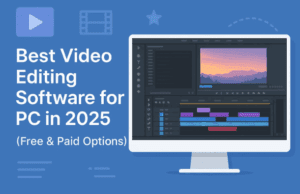
If you’ve ever sat in front of your computer trying to stitch together clips for a vlog, short film, or brand video, you already know how overwhelming video editing can feel. The endless tracks, transitions, and rendering options can make you question where to even begin.
That’s why in this detailed guide, we’ll go on a journey — step by step — through six of the best premium video editing software available in 2025. Whether you’re an ambitious beginner or an aspiring professional, by the end of this read, you’ll know exactly which tool fits your goals, budget, and creative flow.
Let’s start right at the foundation — understanding why investing in a premium editor is worth it in the first place.
🌟 Why Go Premium? The Real Difference Between Free and Paid Editors
Free video editors are fantastic for starting out — they let you trim clips, apply a few transitions, and export in HD. But once you get serious, you’ll soon hit invisible walls.
You’ll notice things like:
- Lag when handling large 4K files.
- No professional color correction tools.
- Limited track support (sometimes only one or two layers).
- Watermarks on exports or licensing issues for commercial projects.
A premium editor removes those barriers. It gives you smooth playback, cinematic color grading, AI-powered stabilization, clean sound control, and access to 8K or even VR editing. More importantly, it gives you creative freedom — the ability to turn your vision into reality without technical limits.
So, let’s move to the next step and see how to actually choose the right one.
🧭 How to Choose the Right Premium Video Editor
Before we get into the software list, it’s worth understanding what separates one tool from another. Many beginners pick software simply because it’s “popular,” only to realize later that it doesn’t suit their workflow.
Here’s what truly matters:
- Ease of Use – A sleek interface matters more than you think. Complicated menus can break your focus when you’re editing.
- System Compatibility – Some tools only run on Windows or macOS. A few even support Linux.
- Pricing Model – Decide early whether you prefer a one-time purchase or a monthly subscription.
- Performance & Features – Look for things like multicam editing, 360° support, keyframe animation, and GPU rendering.
- Learning Curve – Beginners may prefer guided workflows; professionals may want advanced control.
- Support & Updates – Frequent updates ensure your editor stays stable with the latest codecs and devices.
With that roadmap in mind, let’s begin your journey through the six most trusted video editors that define 2025.
🎬 Step 1: Adobe Premiere Elements — The Friendly Gateway to Professional Editing






When you first dive into editing, you want something powerful yet forgiving — a tool that teaches you while letting you experiment. That’s where Adobe Premiere Elements shines.
Think of it as the younger, friendlier sibling of Adobe Premiere Pro. It’s built for creators who don’t want to face the complexity of Hollywood-grade software yet still crave professional results.
💡 Why It’s a Great Starting Point
Premiere Elements guides you with “guided edits,” interactive tutorials built directly into the software. You can learn everything from trimming to adding cinematic transitions, all while watching your own footage evolve.
It includes:
- Automatic face detection and smart trimming tools.
- Easy audio enhancement and royalty-free soundtracks.
- Dozens of transitions and overlay effects.
- Integrated step-by-step tutorials inside the editor itself.
Unlike Adobe’s subscription-based tools, Elements is a one-time purchase (around $100). Once you buy it, you can use it as long as you wish — no recurring monthly costs.
⚙️ System Requirements
It runs smoothly on Windows 10, Windows 11, and macOS. Older Windows 7 and 8.1 users are no longer supported, which is fine given modern hardware trends.
🎯 Verdict
Premiere Elements is perfect for those first few years of learning. It gives you confidence, helps you understand core editing logic, and still produces stunning output for YouTube, weddings, or short films.
So far, we’ve warmed up with something approachable. Now, let’s move one step higher into more serious territory — with Corel VideoStudio Ultimate.
🎞 Step 2: Corel VideoStudio Ultimate — A Powerful Jump Forward
If Adobe Elements feels like your beginner school, Corel VideoStudio Ultimate is your first college-level upgrade. It’s built for creators who want deeper control — more tracks, more effects, and more freedom.
The interface immediately feels modern, clean, and less intimidating than high-end tools. Yet under the hood, it packs enough punch to handle professional-quality videos.
🚀 Key Features That Stand Out
- Multicam editing: Sync and edit footage from multiple cameras at once.
- Motion tracking: Perfect for following moving objects or adding text that sticks to a person’s face.
- 4K & 360° video support: Ideal for modern creators or VR content.
- 2,000+ filters and effects: From cinematic LUTs to unique transitions.
- Built-in royalty-free music library.
There’s even a screen recording feature, which makes it perfect for YouTubers or tutorial creators.
💰 Pricing and Compatibility
Like Premiere Elements, it’s a one-time purchase around $100. It runs on Windows 8, 10, and 11, but not on macOS.
🧩 What Makes It Different
VideoStudio gives you more creative freedom — you can keyframe effects, mix multiple soundtracks, and manage color grading manually. The learning curve is gentle yet rewarding, which makes it one of the best bridges from beginner to intermediate level.
Feeling confident? Let’s head into the Apple world next — where editing feels less like work and more like magic.
🍏 Step 3: Apple Final Cut Pro — The Smoothest Ride on Mac
If you’re using a Mac, there’s a strong chance you’ve already heard of Final Cut Pro. And for good reason — it’s the gold standard for macOS users who want seamless performance and Hollywood-grade results without paying monthly.
Imagine editing a 4K video and watching every change happen instantly, without lag. That’s the kind of optimization Apple is famous for.
🎥 What Makes Final Cut Pro Special
- Magnetic timeline: Forget about gaps or messy tracks; clips snap together intelligently.
- HDR and advanced color grading: Perfect for cinematic tones.
- 8K and 360° editing: Future-ready and visually stunning.
- Third-party extensions: Expand its power through plugins.
- Video noise reduction: Make your footage look professionally shot even in low light.
💵 Price and Platform
It’s available exclusively on macOS through the Mac App Store for around $299. The upfront cost is higher, but you only pay once — no subscriptions.
❤️ The Editing Experience
If you’re already in the Apple ecosystem — using an iPhone, iPad, or MacBook Pro — Final Cut feels like a natural extension of your workflow. Its performance with Apple Silicon (M1, M2, M3 chips) is breathtaking, with near-instant rendering.
Not everyone loves the “trackless” timeline approach, but once you get used to it, it feels faster and more creative.
Let’s keep our momentum — next, we’ll talk about a lesser-known hero that quietly delivers tremendous value.
💎 Step 4: Pinnacle Studio Ultimate — Best Value for Everyday Creators
Sometimes, you don’t want the flashiest interface — you just want something reliable that gets the job done. Pinnacle Studio Ultimate is that dependable workhorse.
It’s built for serious hobbyists and small businesses who want high-quality output but don’t need massive studio setups.
⚡ Core Features
- 4K & 360° video support — ideal for YouTube and commercial videos.
- Motion tracking and video masking — add text or blur moving objects.
- Multicam editing and overlays.
- Screen recording + editing combo — great for tutorials and product demos.
- 2,000+ effects and transitions.
At around $100 for a one-time license, it’s one of the best value editors you can buy.
💡 Why It Deserves More Attention
Pinnacle isn’t as hyped as Adobe or Apple tools, but its speed, stability, and sheer volume of built-in effects make it a dark horse in this space. If your workflow revolves around tutorials, reviews, or small business promos, you’ll love it.
Now, we’ve covered the beginner-to-intermediate editors. It’s time to step into professional territory — where the real cinematic magic happens.
🎞️ Step 5: Adobe Premiere Pro — The Industry Benchmark
If video editing had a Hall of Fame, Adobe Premiere Pro would sit at the top. From Hollywood movies to YouTube documentaries, this tool has shaped modern video storytelling.
🔧 What You Get
- Support for HDR, VR, and 8K footage.
- Unlimited video and audio tracks.
- LUMETRI Color panel for professional color correction.
- Multicam editing and seamless integration with After Effects and Audition.
- Frequent updates and global plugin support.
Premiere Pro is subscription-based, starting at around $23 per month, or part of the Adobe Creative Cloud suite (~$70/month).
💪 Who It’s For
If you work on complex projects — like ads, short films, or series — Premiere Pro gives you the flexibility to handle everything from rough cuts to Dolby surround sound mixing.
The learning curve is steep, but the payoff is immense. Once mastered, it feels limitless.
Still, some creators prefer a one-time purchase model. So, let’s wrap up with a tool that offers professional excellence without recurring costs.
🎨 Step 6: DaVinci Resolve Studio — The All-in-One Powerhouse
DaVinci Resolve Studio is the definition of “premium done right.” It’s a professional editor, a color grading suite, a visual effects tool, and a sound studio — all in one ecosystem.
It’s trusted by filmmakers behind movies like John Wick: Chapter 3 and Ad Astra — yet it’s also approachable for solo creators.
🧰 What It Includes
- 8K and HDR editing with exceptional playback stability.
- Fusion VFX for compositing and visual effects.
- Fairlight Audio — a full digital audio workstation inside the app.
- Color grading tools unmatched in precision.
- Cross-platform support for Windows, Mac, and Linux.
💸 Price & Bonus
Resolve Studio is a one-time purchase of around $295. There’s also a free version with slightly fewer features — but even that free version outperforms many paid tools.
If you want tactile control, Blackmagic also sells hardware panels that give you cinematic precision (though they start above $1,000).
🎬 Why It’s the Endgame
Resolve isn’t just an editor — it’s a full production suite. Whether you’re color-correcting a documentary or creating YouTube content that feels like Netflix, this software will carry you for years without a single subscription payment.
🧠 How to Decide Which One Fits You
Let’s take a moment to breathe — that was a lot of software. But here’s a simple way to choose your perfect match:
| Your Situation | Recommended Editor |
|---|---|
| Complete beginner, simple projects | Adobe Premiere Elements |
| Ready to grow, need flexibility | Corel VideoStudio Ultimate |
| Mac user who wants elegance and power | Final Cut Pro |
| Tutorial or business creator on a budget | Pinnacle Studio Ultimate |
| Professional filmmaker or YouTuber | Adobe Premiere Pro |
| Colorist, indie filmmaker, or technical user | DaVinci Resolve Studio |
❓ Frequently Asked Questions (FAQs)
Q1: Is it worth paying for a video editor in 2025?
Absolutely. Free tools are fine for casual use, but paid editors offer smoother workflow, faster rendering, and no creative limits — especially if you’re monetizing your videos.
Q2: Should I choose a one-time purchase or subscription model?
If you edit casually, go for one-time tools like Resolve Studio or Pinnacle. If you work daily or collaborate with teams, a subscription like Premiere Pro is worth it for updates and ecosystem access.
Q3: Which editor works best for YouTube creators?
Corel VideoStudio and Pinnacle Studio are excellent for YouTube due to their easy templates, screen recorders, and quick export presets.
Q4: Can DaVinci Resolve replace Premiere Pro?
For most use cases — yes. Resolve Studio offers nearly everything Premiere Pro does, plus world-class color grading. The main difference is ecosystem; Premiere integrates more tightly with After Effects and Photoshop.
Q5: Which editor is best for older PCs?
Premiere Elements and VideoStudio Ultimate are relatively lightweight. Resolve and Premiere Pro demand stronger GPUs and more RAM.
⚠️ Disclaimer
Software prices and system requirements mentioned here are accurate at the time of writing (late 2025) but may change. Always confirm the latest information on official websites before purchase. This article is meant for educational purposes and does not promote or affiliate with any brand.
🏁 Final Thoughts
The beauty of modern video editing is that there’s something for everyone — from the curious beginner cutting their first vlog to the filmmaker producing cinematic stories.
Each editor we discussed has its own rhythm, its own learning curve, and its own magic. The key is not to chase what others use — but to find the one that aligns with your creative journey.
Start small, practice consistently, and upgrade as your storytelling grows. By the time you look back, you won’t just be someone who “edits videos.” You’ll be a true creator — someone who brings ideas to life through motion, sound, and imagination.
Happy editing! 🎞️
#VideoEditing #Filmmaking #ContentCreation #EditingTools #PremierePro #DaVinciResolve #FinalCutPro #CreativeJourney